
Best Free Workout Tracker App: 4 Honest Picks
Quick answer: FitNotes is the only genuinely free workout tracker with no ads and no paid tier, but it is Android only. Hevy and Strong both have usable free plans that cap how many routines you can save. Your phone's notes app is free, unlimited, and better than most people expect, as long as you do not need charts.
"Free" does a lot of work in the App Store. Some apps mean free forever. Some mean free until you save a fourth routine. Some mean free for seven days and then £60 a year.
Here is what each one actually gives you before it asks for money. This page covers the free end only. If paid apps are on the table too, our best workout tracking apps ranking puts them side by side.
What does "free" actually mean in a workout app?
Three different things, and the difference matters more than any feature list.
Genuinely free. No paid tier at all. Rare, usually built by one developer as a side project, and usually missing the polish of a funded app.
Free tier with caps. You can log forever, but something is limited. Almost always the number of routines you can save, sometimes how far back your charts go.
Free trial. Full access for a week or a month, then a subscription. This is most of the market, including the app we make.
The third kind is not dishonest, but it is not a free tracker. If you want something you will never pay for, only the first two count. If you are happy to pay once but not every month, see our list of workout apps without a subscription.
Which free workout trackers are actually worth using?
FitNotes: free forever, Android only
The genuinely free one. FitNotes describes itself as "free to use and no ads, ever", and it means it. There is no premium tier, nothing gated, and no upsell screen.
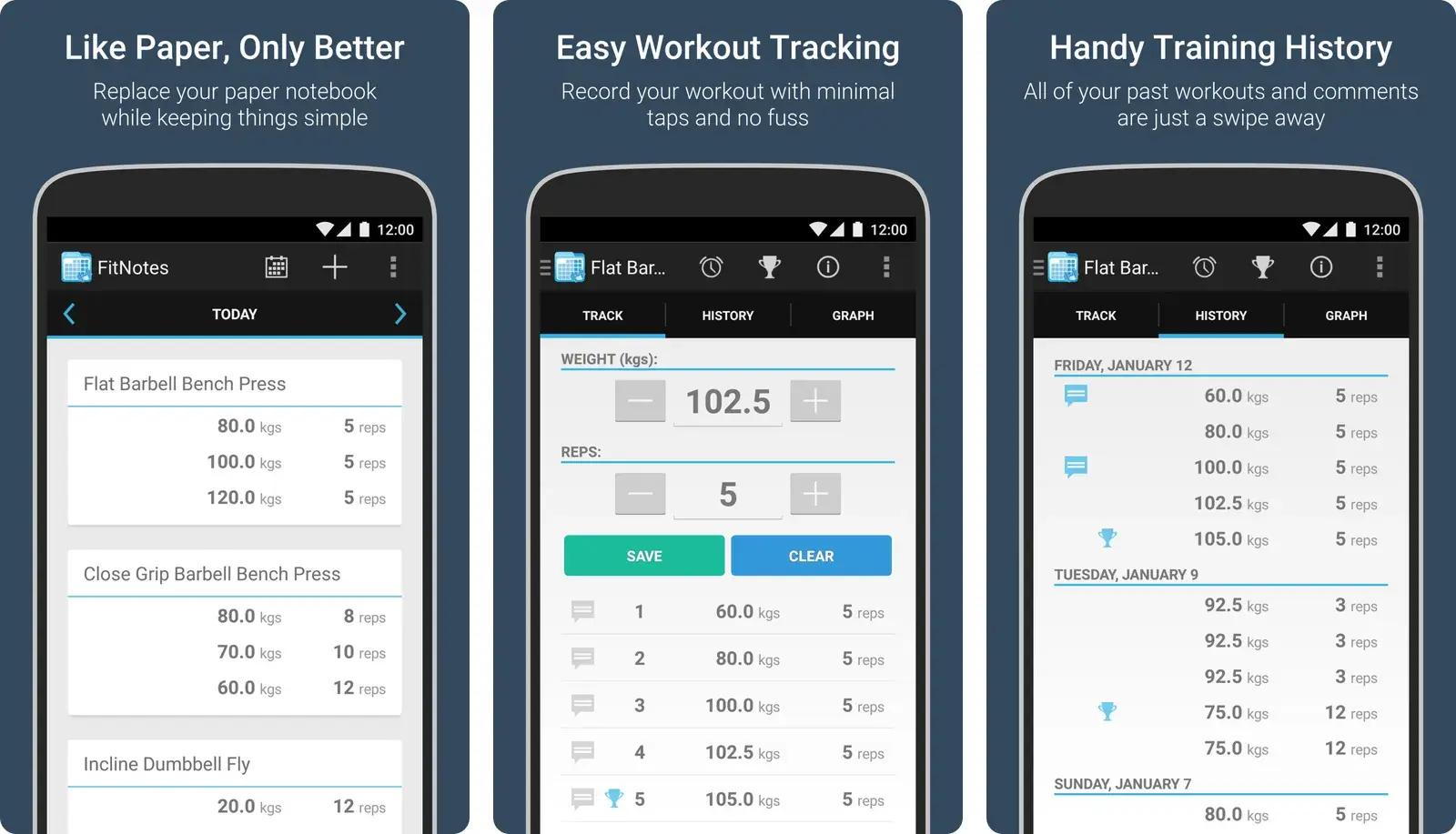
You get unlimited logging, custom exercises, a rest timer, a calendar view, body measurements, and full CSV export so your data is yours. The interface looks like it was designed in 2015, because it roughly was.
The catch is a real one: it is Android only. If you have an iPhone, FitNotes is not an option, which rules it out for a lot of people. Our FitNotes alternatives piece covers what iPhone users usually end up with instead.
That platform limit cuts the other way too: if you are leaving Alpha Progression, which is iPhone only and gates its charts behind Pro, moving to an Android-capable free tier is part of the point.
Hevy: the most generous capped free tier
Hevy lets you log unlimited workouts on the free plan. What you do not get is unlimited routines, unlimited custom exercises, or unlimited graph history. According to the Hevy listing on the App Store, Hevy Pro is what removes those three caps and adds advanced measurements.
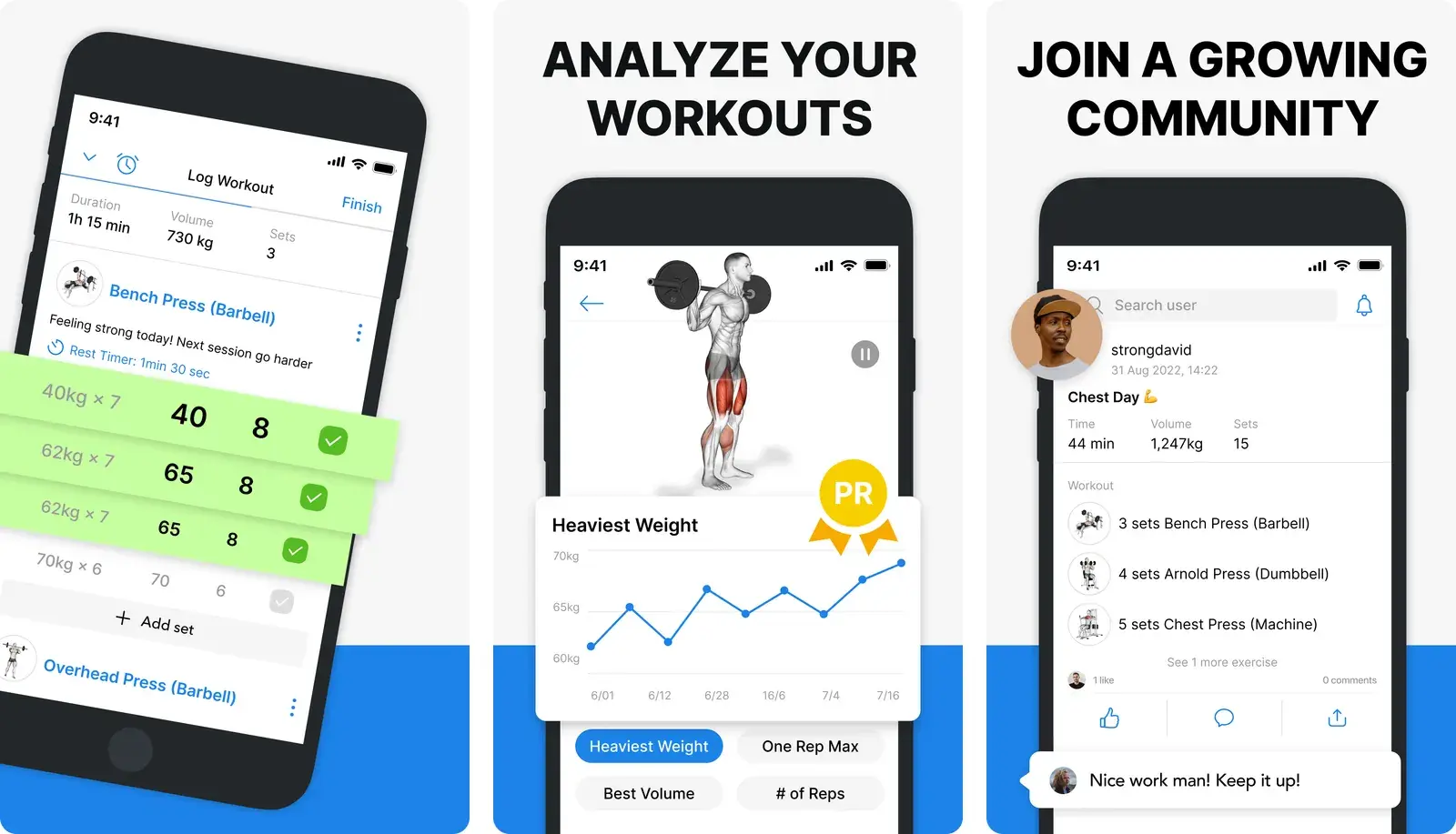
Pro is priced at $2.99 monthly, $23.99 yearly, or $74.99 once for lifetime access, which is on the cheaper end of this market.
For most people running one or two routines, the free plan is genuinely enough for months. It becomes limiting when you want several programs saved at once, or when you want to see more than the recent slice of your progress graphs. If that is where you have landed, our Hevy alternatives guide is the next stop.
Strong: free with a three-routine ceiling
Strong is the other big name with a workable free plan. The App Store listing states that the free version saves unlimited workouts but is limited to 3 custom routines, and that Strong PRO unlocks unlimited routines plus additional features.
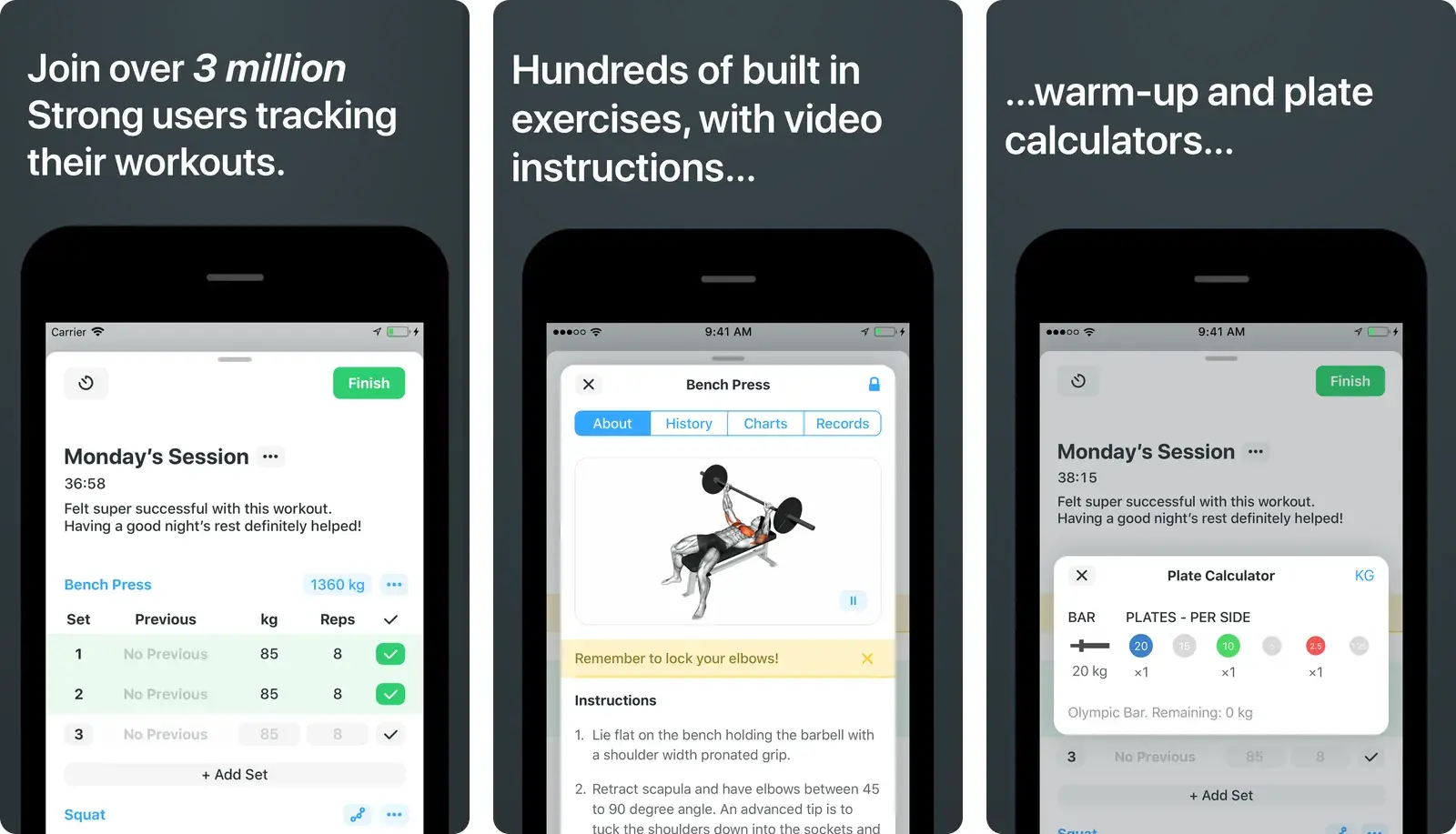
Strong PRO costs $4.99 per month or $29.99 per year, with a lifetime option listed at $99.99.
Three routines covers a standard upper/lower or full-body setup comfortably. It gets tight fast on a push/pull/legs split with variations, which is exactly when most people hit the paywall. We compare the two head to head in Hevy vs Strong.
Your notes app: free, unlimited, and underrated
Apple Notes, Google Keep, and Samsung Notes cost nothing, have no caps, sync everywhere, and open in under a second. Millions of people log their training this way and make perfectly good progress.
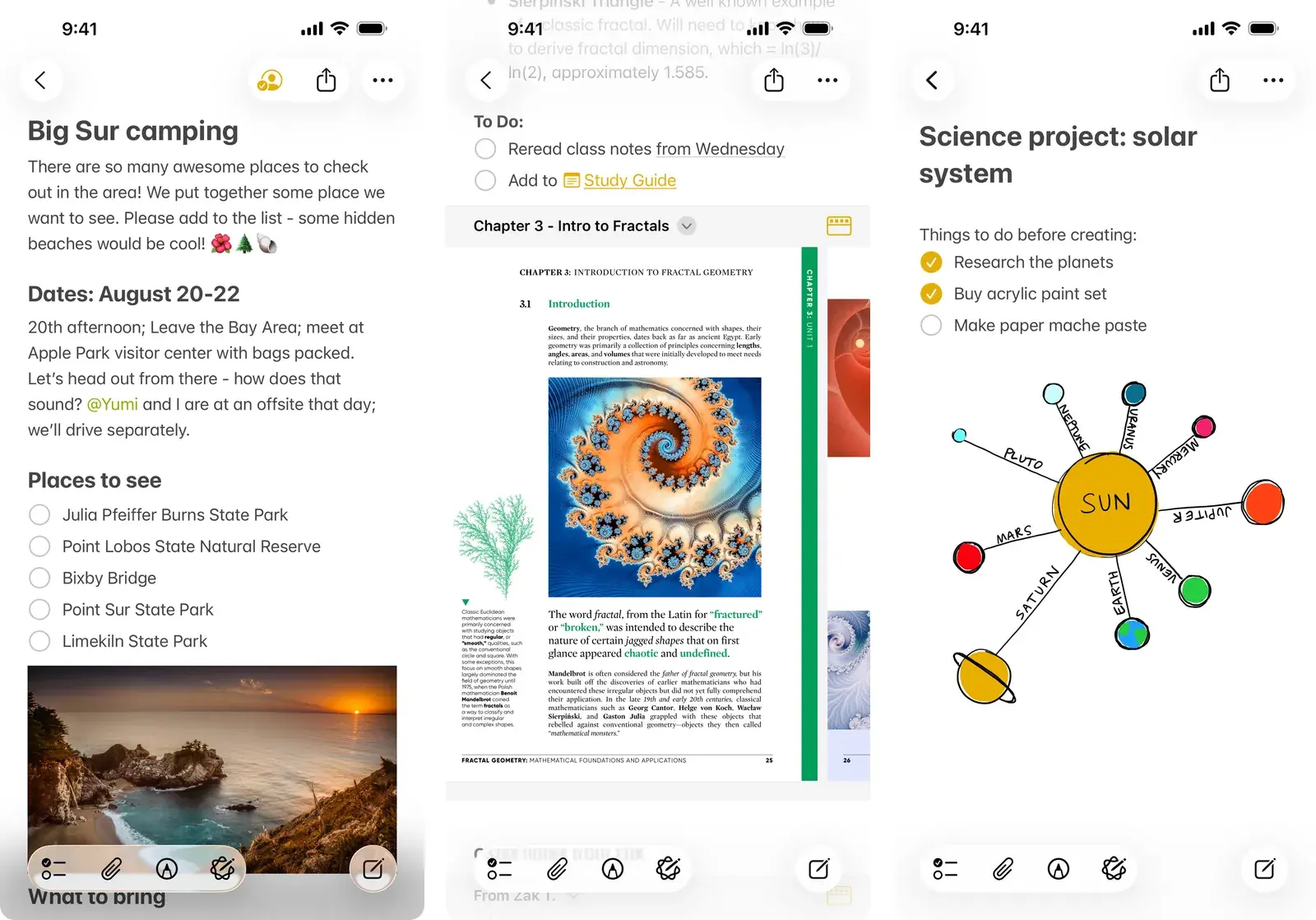
What you give up is every form of analysis. Bench 80x8 is a complete record of a set. Your notes app will never tell you that it beat 80x7 from five weeks ago, because to the app both lines are just text.
That is the trade: total speed and total freedom, zero comparison. If it is working for you, our Apple Notes workout template will make it work a bit better.
How do the free options compare?
| FitNotes | Hevy (free) | Strong (free) | Notes app | |
|---|---|---|---|---|
| Actually free forever | Yes | Yes, with caps | Yes, with caps | Yes |
| Platforms | Android only | iOS and Android | iOS and Android | Everywhere |
| Routine limit | None | Capped on free | 3 custom routines | None |
| Charts and history | Yes | Capped on free | Yes | None |
| Data export | CSV | Paid tiers vary | Paid tiers vary | Copy and paste |
| Ads | None ever | None | None | None |
None of these four will nag you with adverts, which is worth saying out loud given the category.
Notebook, notes app, or tracking app?
Zoom out from the App Store and there are really four ways people log training.
| Physical Notebook | Notes App | Traditional Gym App | Gym Note Plus | |
|---|---|---|---|---|
| Logging speed | Fast | Fastest | Slow, lots of tapping | Fastest |
| Data visualization | None | None | Good | Good |
| Flexibility | Total | Total | Locked to their exercise list | Total, write what you want |
| Searchability | None | Text search only | Good | Good |
| Cost | Price of a notebook | Free | Free tier or subscription | Subscription after first month |
The pattern is consistent. The fast, flexible options cannot analyse anything. The options that analyse well slow you down between sets, which is the single most common reason people abandon them. Our notebook vs app comparison digs into that trade.
What should you actually pick?
On Android and want to never pay? FitNotes. It is the only honest answer to that question.
On iPhone and want a free app? Hevy's free tier, unless you need more than a couple of saved routines.
Running one simple program? Strong's free plan or your notes app will both do the job. The wider case for stripping features out is in our guide to picking a simple workout tracker app.
Already logging in notes and it works? Do not let anyone talk you out of it. The best tracker is the one you use in the ninety seconds between sets.
Want charts without changing how you log? That is the gap the free apps do not fill, and it is worth being clear that filling it usually costs money somewhere.
Logging with a watch on your wrist? That narrows the field again, and our best workout apps for Apple Watch roundup covers which ones are worth wearing.
If none of the free tiers stretch far enough, the paid options sit in our best workout tracking apps guide.
A simple starting plan
- Install one app, not three. Trying four trackers in a month is how people stop tracking entirely.
- Log two full weeks before judging it. The first session in any app is awkward. The fifth tells you whether it fits.
- Check where the paywall is early. Try saving your actual routines on day one so you find the cap before you have three months of data behind it.
- Confirm you can export. Any tracker worth using lets you get your data out. If it does not, you are renting your training history.
- Keep your old log. Do not delete the notebook or the notes file until the new system has survived a month.
If you already log in plain text
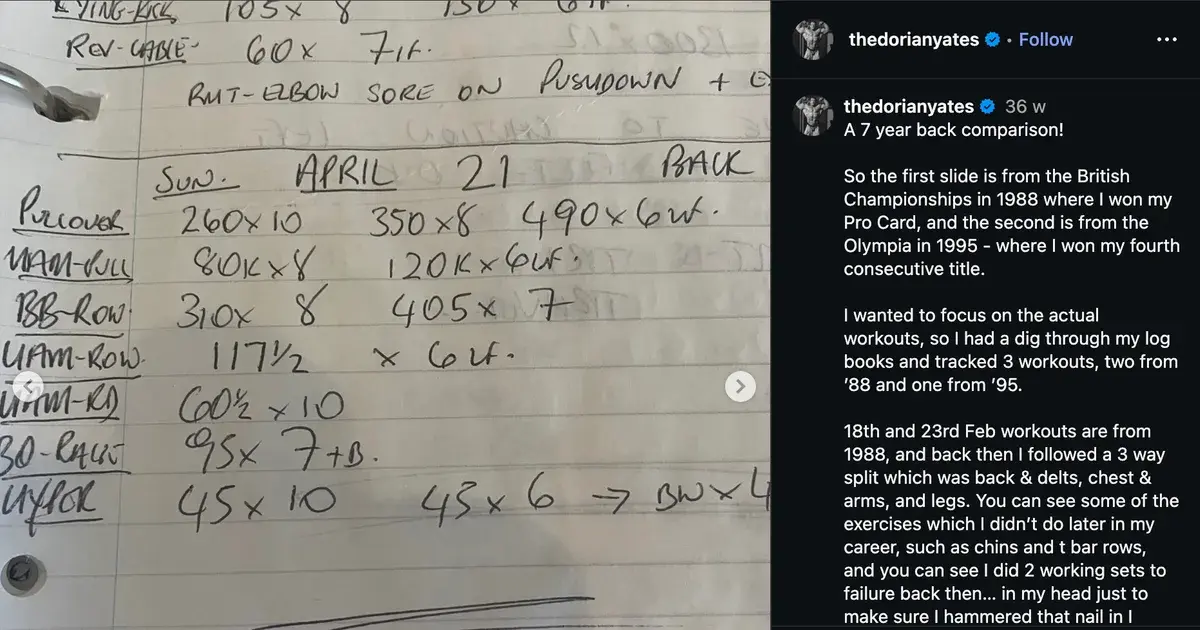
Everything above assumes you are willing to change how you log. Most people who write Bench 80x8x3 in Apple Notes are not, and they are right not to be. That habit is fast, it is yours, and it has survived every app you have tried.
Gym Note Plus takes a different route: keep typing plain text, and it does the structuring for you.
- Type the way you already type, with no exercise pickers or dropdown menus
- Sets, reps, and weights are parsed automatically into charts and personal records
- Your existing notes import, so you start with history rather than an empty app
- Works on iPhone, where FitNotes is not an option
Being straight about the price: Gym Note Plus is not a free app. The first month is free, then it is £4.99 monthly or £49.99 annually. If free forever is a hard requirement, FitNotes or your notes app are the honest recommendations, and we would rather say so than pretend otherwise.
You can test the idea without installing anything. Paste your last session into the free notes to workout translator and see what a few lines of text turn into.
The best free workout tracker is the one you still open in month three. Almost every app in this category is fast enough to win week one and slow enough to lose by week ten.
Frequently Asked Questions
What is the best free workout tracking app?
FitNotes is the best fully free workout tracking app because it has no premium tier, no adverts, unlimited logging, and CSV export. Its main limitation is that FitNotes runs on Android only. On iPhone, the free tier of Hevy is the strongest no-cost option, though it caps saved routines, custom exercises, and graph history.
What is the best free gym log app?
The best free gym log app is FitNotes on Android and the free tier of Hevy on iPhone. A gym log app, also called a fitness log or exercise log app, records the exercise, weight, sets and reps of every session. FitNotes logs without limits or adverts, while Hevy logs unlimited workouts but caps routines and graph history.
Is Hevy free to use?
Hevy is free to use for unlimited workout logging. The free plan caps the number of routines and custom exercises you can create and limits how much graph history you can view. Hevy Pro removes those caps and adds advanced measurement tracking, priced at $2.99 per month, $23.99 per year, or $74.99 for lifetime access.
Is the Strong app free?
Strong offers a free version that saves unlimited workouts but limits you to 3 custom routines. Strong PRO unlocks unlimited routines and additional features for $4.99 per month or $29.99 per year, with a lifetime option listed at $99.99. Three routines is usually enough for an upper/lower split and restrictive for push/pull/legs.
What is the best free workout tracker app for iPhone?
Hevy's free tier is the strongest free workout tracker on iPhone, since FitNotes is Android only. Hevy logs unlimited workouts and caps saved routines, custom exercises and graph history. Strong's free plan is the alternative, limited to three custom routines, which suits an upper/lower split more than push/pull/legs.
Do free workout apps show ads?
FitNotes, Hevy, and Strong are all ad free, including on their no-cost tiers. They fund development through optional premium subscriptions rather than advertising. Ad-supported workout trackers do exist, but the main apps in this category have moved to a freemium subscription model instead.
Is a notes app good enough for tracking workouts?
A notes app is good enough for recording workouts and is faster than most dedicated trackers. It falls short on analysis: plain text cannot compare today's set against previous sessions, detect personal records, or chart progress over time. Notes work well for lifters who review their training manually and less well for those who want automatic trends.
Final Takeaways
- FitNotes is the only genuinely free tracker with no paid tier, and it is Android only.
- Hevy has the most generous capped free plan, limited on routines, custom exercises, and graph history.
- Strong's free version allows 3 custom routines, which is fine for upper/lower and tight for push/pull/legs.
- Your notes app is free, unlimited, and fast. It just cannot compare anything for you.
- Check the paywall on day one, and make sure you can export your data before you build months of history inside anything.

Josh Ibbotson
Josh is the creator of Gym Note Plus, building tools that make workout tracking as simple as taking notes.
Ready to try it out?
Download Gym Note Plus and start tracking your workouts the way you want.
Download on App Store