

6 Best FitNotes Alternatives in 2026 (Apps Like FitNotes)
Quick answer: The best FitNotes alternatives depend on why you are leaving. Choose Strong or Hevy for a polished cross-platform logger, Boostcamp for ready-made programs, a spreadsheet for total control, a plain notes app for raw speed, and Gym Note Plus if you switched to iPhone and want plain-text logging with automatic charts.
FitNotes has a particular kind of loyal user. No subscription, no ads, no social feed, no AI telling you what to train. Open it, tap, log, close.
Most people do not leave because they stopped liking it. They leave because they bought an iPhone.
Why do people look for a FitNotes alternative?
Four reasons cover almost everyone, and which one applies decides your shortlist.
- Switching to iOS. FitNotes is an Android app. There is no official iPhone version, which is the single most common reason people go looking. Apps on the App Store with similar names are separate products by other developers, not ports.
- No cloud sync. FitNotes stores your data locally with manual backup and export. That is a feature if you value ownership and a problem the first time a phone dies without a recent backup.
- Wanting programs, not just a logger. FitNotes records what you did. It does not tell you what to do. Some lifters eventually want structure handed to them.
- The interface shows its age. It is functional and fast, and it does not look like a 2026 app.
Be specific about which of those is yours. Switching for the wrong reason means switching again in three months.
What is the best FitNotes alternative for iPhone?
This is the real question for most people reading, so it goes first.
Strong
Strong is the closest thing to a modern FitNotes on iOS. It is a straight logger with a well-built rest timer, auto-filled previous weights, and a solid Apple Watch app.
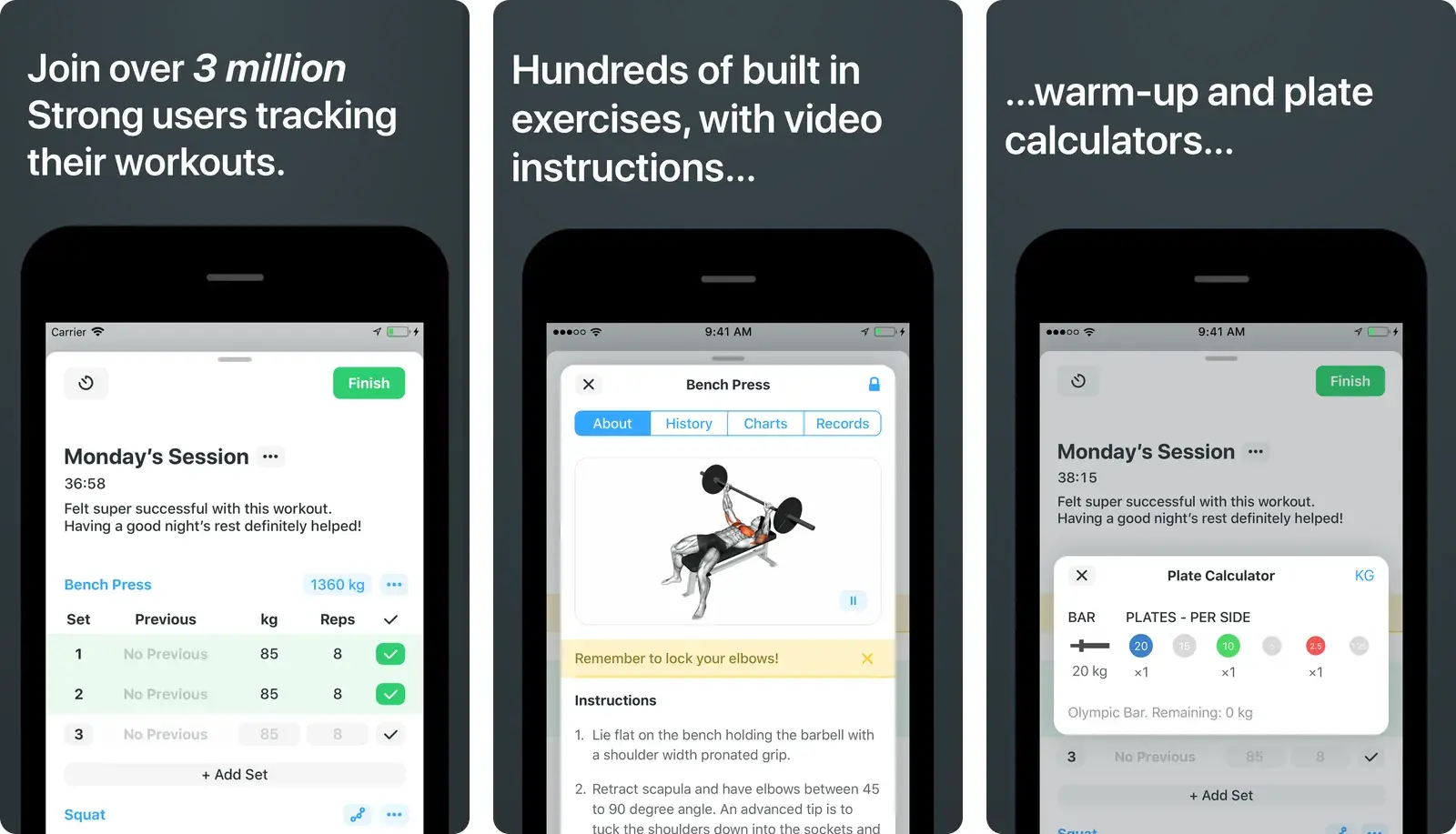
The free tier limits how many routines you can save, and the paid tier is the actual product. Check Strong's site for current pricing rather than trusting any comparison article, including this one.
- Best for: Ex-FitNotes users who want a polished tap-to-log app on iPhone.
- Watch out for: Free-tier routine limits, and the same set-by-set tapping FitNotes had.
Hevy
Hevy is the more generous free tier and the more social product. Unlimited workout logging on the free plan, clean charts, and a feed where people you follow post their sessions.
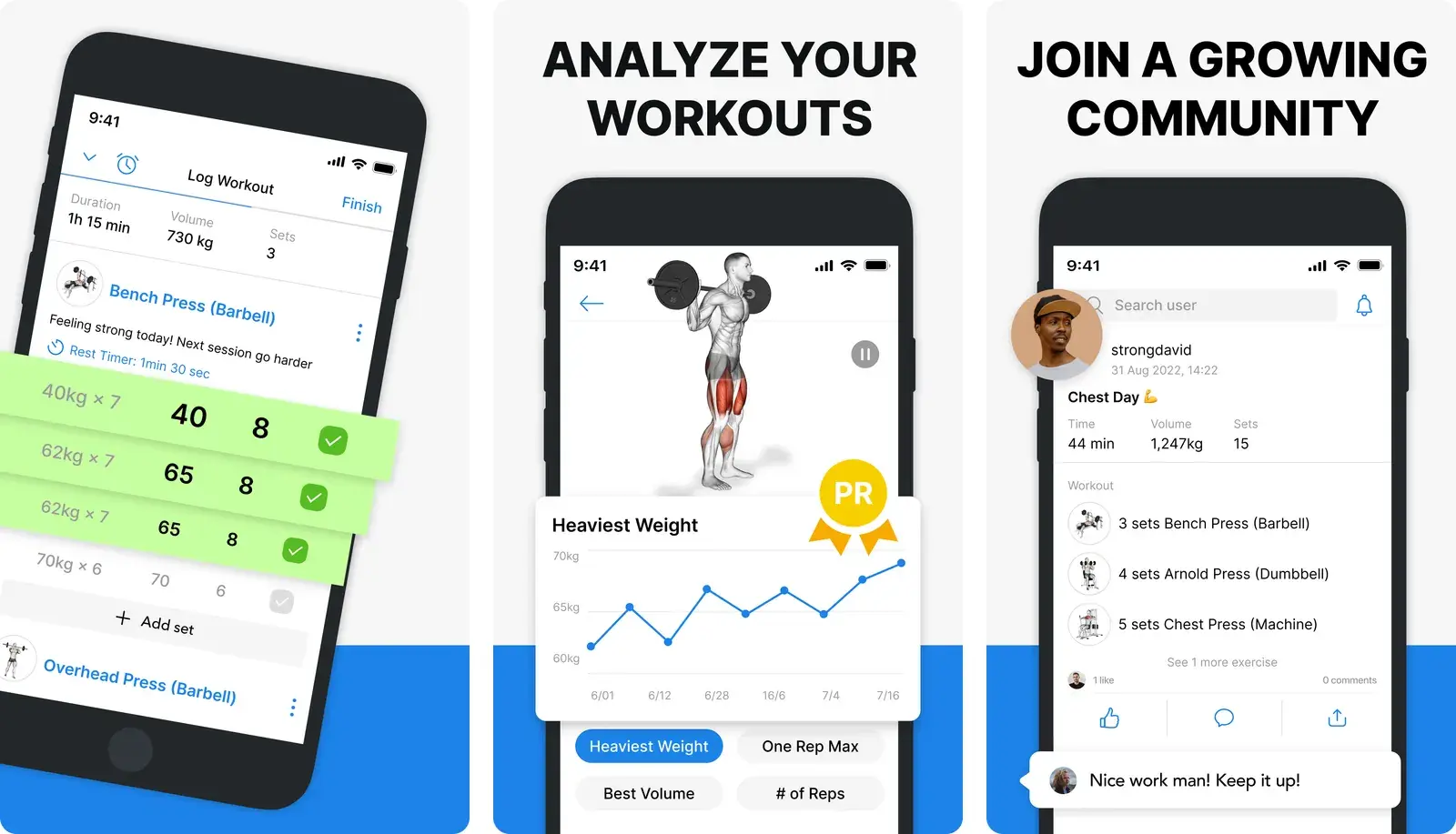
If the feed sounds appealing, Hevy is the better fit. If it sounds like the reason you liked FitNotes in the first place, it is not.
- Best for: People who want a capable free logger and do not mind social features.
- Watch out for: History and routine limits on the free plan, and a feed you cannot fully escape.
We compared the two directly in Hevy vs Strong if you are choosing between them.
What if you want the training plan too?
Boostcamp
Boostcamp is a program library first and a logger second. It ships with real, named strength programs (5/3/1, GZCLP, nSuns, PPL routines) that you follow session by session, with the app prescribing the weights.
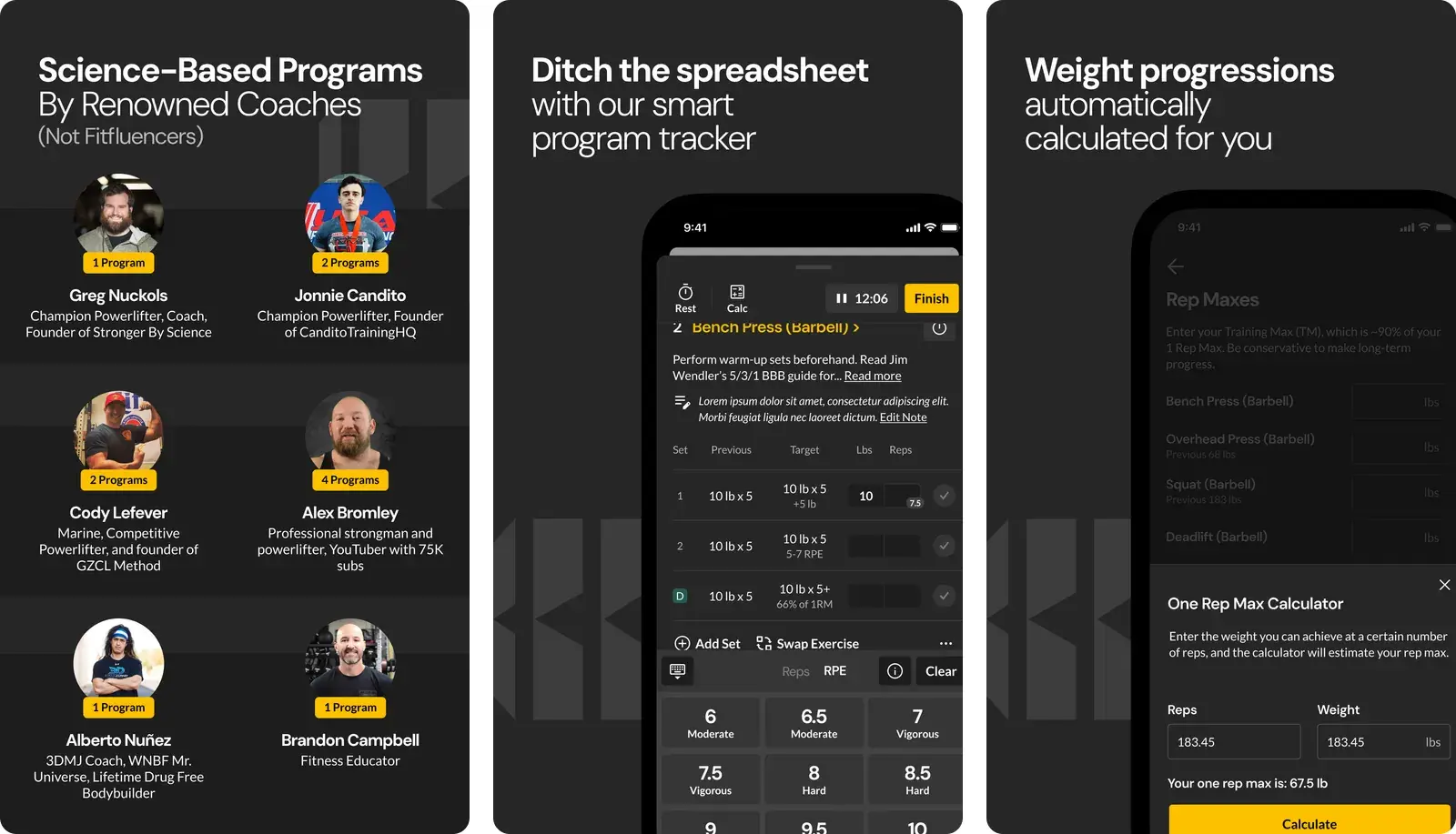
FitNotes assumed you brought your own plan. If that assumption was the problem, this is the fix.
- Best for: Lifters who want proven programming without building it themselves.
- Watch out for: Less useful if you train intuitively or improvise around busy equipment.
If you are not sure which program to run, our guides on the upper/lower split and 5x5 workout program cover two of the most common starting points.
What if you want more control than any app gives you?
A spreadsheet
Google Sheets is the most flexible workout tracker in existence, and the least convenient one to use with sweaty hands between sets.
You get complete control over what is tracked, arbitrary formulas, and data that outlives any company. You also get a phone interface that fights you.
Most people who go this route end up logging on paper or in notes during the session and transcribing later, which is two jobs instead of one. We wrote up the honest tradeoffs in workout tracker spreadsheet.
- Best for: People who genuinely enjoy building systems and want total data ownership.
- Watch out for: Transcription drift. The workouts you forget to type up did not happen, as far as the sheet knows.
A plain notes app
Apple Notes is faster than every dedicated app on this list. There is nothing to navigate. You open a note and type.
That is not a small advantage. Speed is the reason logging habits survive, and no set builder beats a text field.
What you give up is everything downstream. No charts, no personal best detection, no weekly volume, no way to answer "what did I bench a month ago" without scrolling.
- Best for: Lifters who value logging speed above analysis and are happy reading their own history.
- Watch out for: Text that never becomes data.
How the options compare
| Physical notebook | Notes app | Traditional gym app | Gym Note Plus | |
|---|---|---|---|---|
| Logging speed | Fast | Fastest | Slow, tap-heavy | Fastest |
| Data visualisation | None | None | Strong | Strong |
| Flexibility | Total | Total | Constrained by templates | Total |
| Searchability | None | Text search only | Structured | Structured |
| Works if you switch phones | Yes | With sync | Usually | Yes |
Which FitNotes alternative should you actually pick?
Pick by the reason you are leaving, not by feature count.
- Switched to iPhone and want the same experience: Strong.
- Want the most capable free tier and do not mind a feed: Hevy.
- Want the plan handed to you: Boostcamp.
- Want total control and enjoy building systems: a spreadsheet.
- Want raw speed and nothing else: a notes app.
- Want notes-app speed with real charts: keep reading.
If you are weighing the broader field, best workout tracking apps covers more options, and Strong app alternatives approaches the same problem from the other direction.
If you liked FitNotes because it stayed out of the way
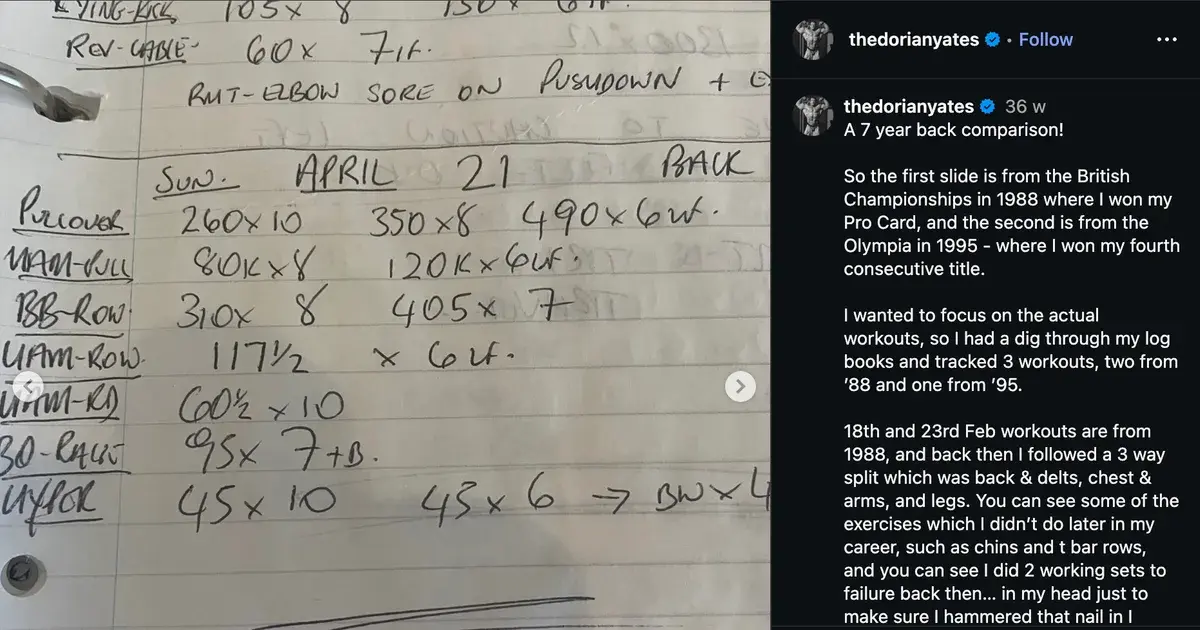
That preference is the important thing to protect. FitNotes users are usually not looking for more features. They are looking for the same low-friction logging, on a phone that FitNotes does not support.
The version of that on iOS is not a set builder. It is typing.
Gym Note Plus reads plain text lines and turns them into structured, charted training data.
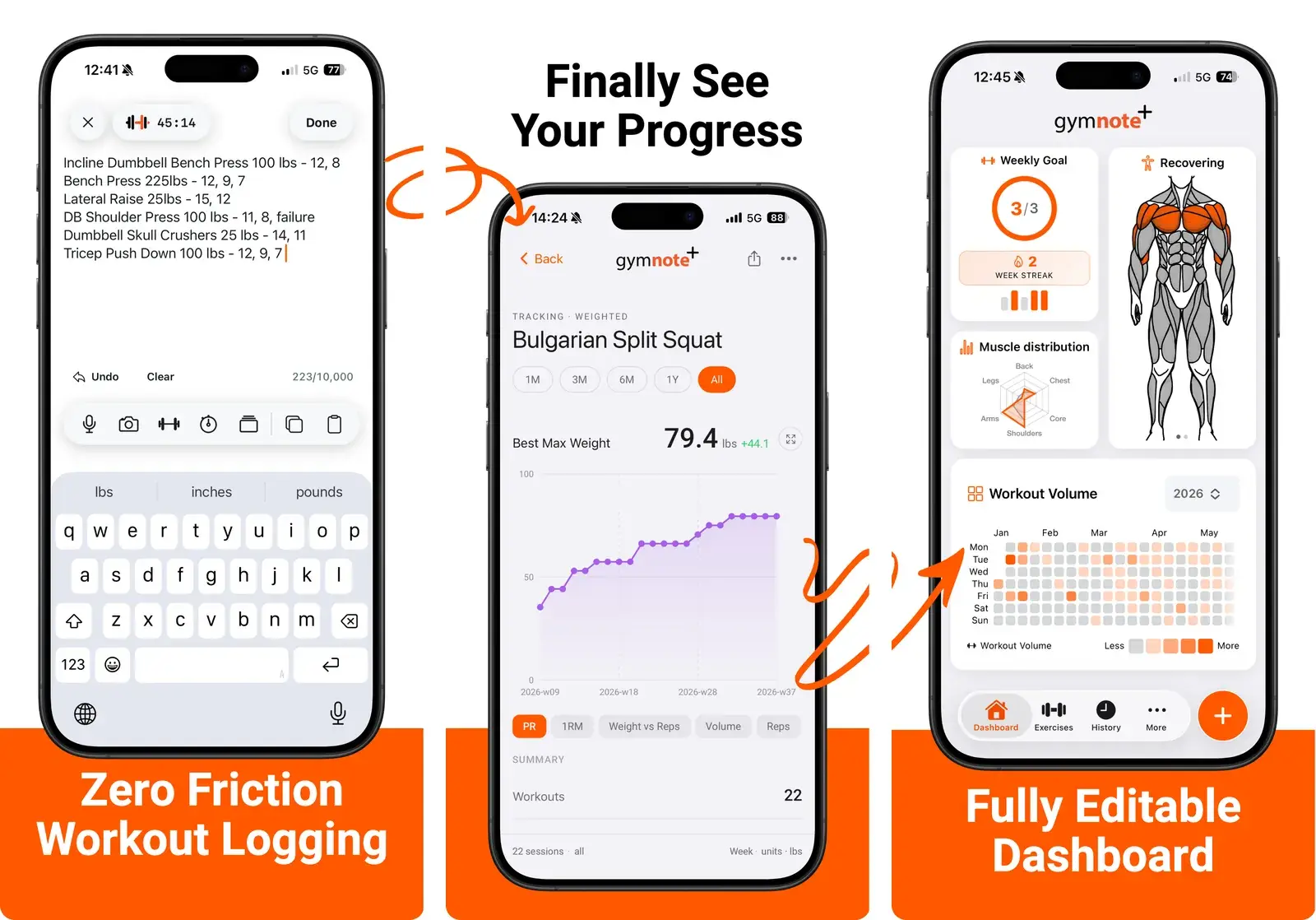
- Type
bench 80kg 8,8,7and it becomes three logged sets with volume and estimated one rep max. - Every exercise gets a progress chart, so trends are visible without scrolling.
- Personal bests are detected automatically rather than remembered.
- Existing notes and exported logs import, so your training history comes with you.
No routine builder to fight, no feed, no prescribed program. Just the fast logging FitNotes trained you to expect, with the analysis it never had.
Want to see what it does with your own data? Paste your last workout into the free notes to workout translator and watch a block of text turn into charts.
The best workout tracker is not the one with the most features. It is the one you still open on week forty.
Frequently Asked Questions
Is FitNotes available on iPhone?
FitNotes is an Android-only workout tracker and has no official iOS version. Apps with similar names on the App Store are separate products built by other developers, not ports of the original. Android users switching to iPhone need to export their FitNotes data and choose a different tracker, since the app itself cannot be transferred.
Is FitNotes still free?
FitNotes is free to use on Android with no subscription tier and no advertising, which is unusual among workout trackers. Its data is stored locally on the device with manual backup and CSV export rather than automatic cloud sync, so users are responsible for keeping their own backups if they change or lose a phone.
How do I export my FitNotes data?
FitNotes includes an export function in its settings that produces a CSV file and a database backup file you can save to cloud storage or transfer to a computer. Export before changing phones, because local-only storage means an unbacked-up device failure loses the training history permanently. Most alternative trackers accept CSV import in some form.
What is the closest app to FitNotes on iOS?
Strong is the closest equivalent to FitNotes on iOS for lifters who want a straightforward logger without social features or prescribed programs. It uses the same set-by-set tapping model with auto-filled previous weights. Gym Note Plus is the closer match philosophically for FitNotes users who valued speed above all, since it logs from plain text rather than a set builder.
Is a notes app good enough to replace FitNotes?
A notes app replaces the logging half of FitNotes but not the analysis half. Typing sets into Apple Notes is faster than any tap-based interface, and the flexibility is total. What is missing is everything FitNotes computed for you: progress graphs, personal records, and volume totals. Notes-app logging works well when paired with something that can read the text back as structured data.
Final Takeaways
- Most people leave FitNotes for platform reasons, not feature reasons. It is Android-only, and that is the whole story for iPhone switchers.
- Export your data first. FitNotes stores locally, so a lost phone means a lost training history.
- Match the alternative to your actual complaint. Polish means Strong, free tier means Hevy, programming means Boostcamp, control means a spreadsheet.
- Do not trade speed for features you will not use. The friction of set-by-set tapping is what kills logging habits.
- If you liked FitNotes for staying out of the way, look for plain-text logging with automatic analysis rather than a bigger app.

Josh Ibbotson
Josh is the creator of Gym Note Plus, building tools that make workout tracking as simple as taking notes.
Ready to try it out?
Download Gym Note Plus and start tracking your workouts the way you want.
Download on App Store