

The 6 Best Workout Tracking Apps in 2026, Ranked & Compared
Quick answer: For fastest logging, a plain-text tracker like Gym Note Plus is hard to beat. For the best free like-for-like app, pick Hevy. For free on Android, FitNotes. For guided, AI-built programs, Fitbod. For a huge exercise library, Jefit. Choose by what you actually value: speed, price, or hand-holding.
You downloaded a big-name gym app because the reviews were glowing. Then you stood between two working sets, tapping through a menu to find "incline dumbbell press", scrolling a picker to set the weight, tapping again to log the reps, and your rest period quietly turned into data entry.
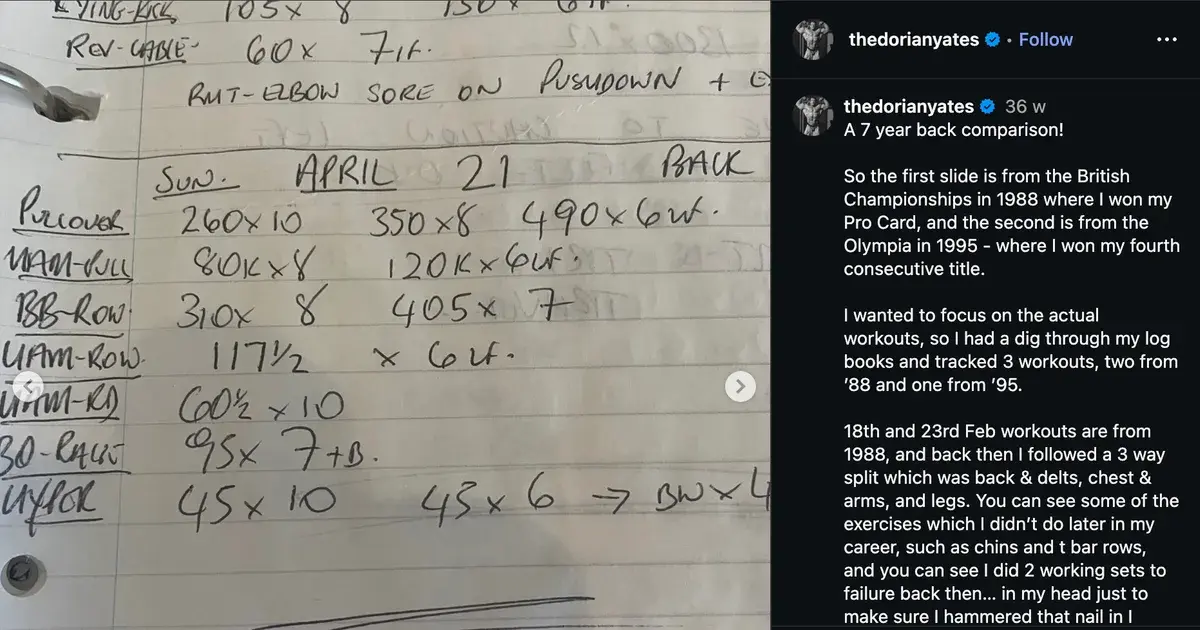
So you closed it and went back to the notes app on your phone, where a line like incline db 30kg 10,9,8 takes four seconds and no menus. That habit works. The only thing it lacks is the charts. This guide is for that reader: someone who logs in notes or a paper notebook today, values speed, and is done tapping through bloated apps.
What actually matters in a workout log app
The best gym tracking app is the one you will still open in three months. Feature lists are easy to fall for. What kills tracking is friction, not missing features. If logging a set takes twenty seconds and interrupts your rest, you stop doing it, and a half-abandoned log is worse than a notebook.
So judge any workout log app on four honest questions. How fast is one set to record? Does it show your progress back to you clearly? Is it flexible when your session goes off-script? And does it fit your platform and budget? Everything below is framed around those, not marketing screenshots.
The best workout tracking apps in 2026
Here are the real options worth your time, with an honest "best for" and the downsides most roundups skip. Prices below are from the sources linked and accurate at the time of writing.
Strong: the polished default
Best for lifters who want a clean, proven template-based tracker. Strong is well designed, stable, and popular for good reason. You build routines, then log set by set as you go.
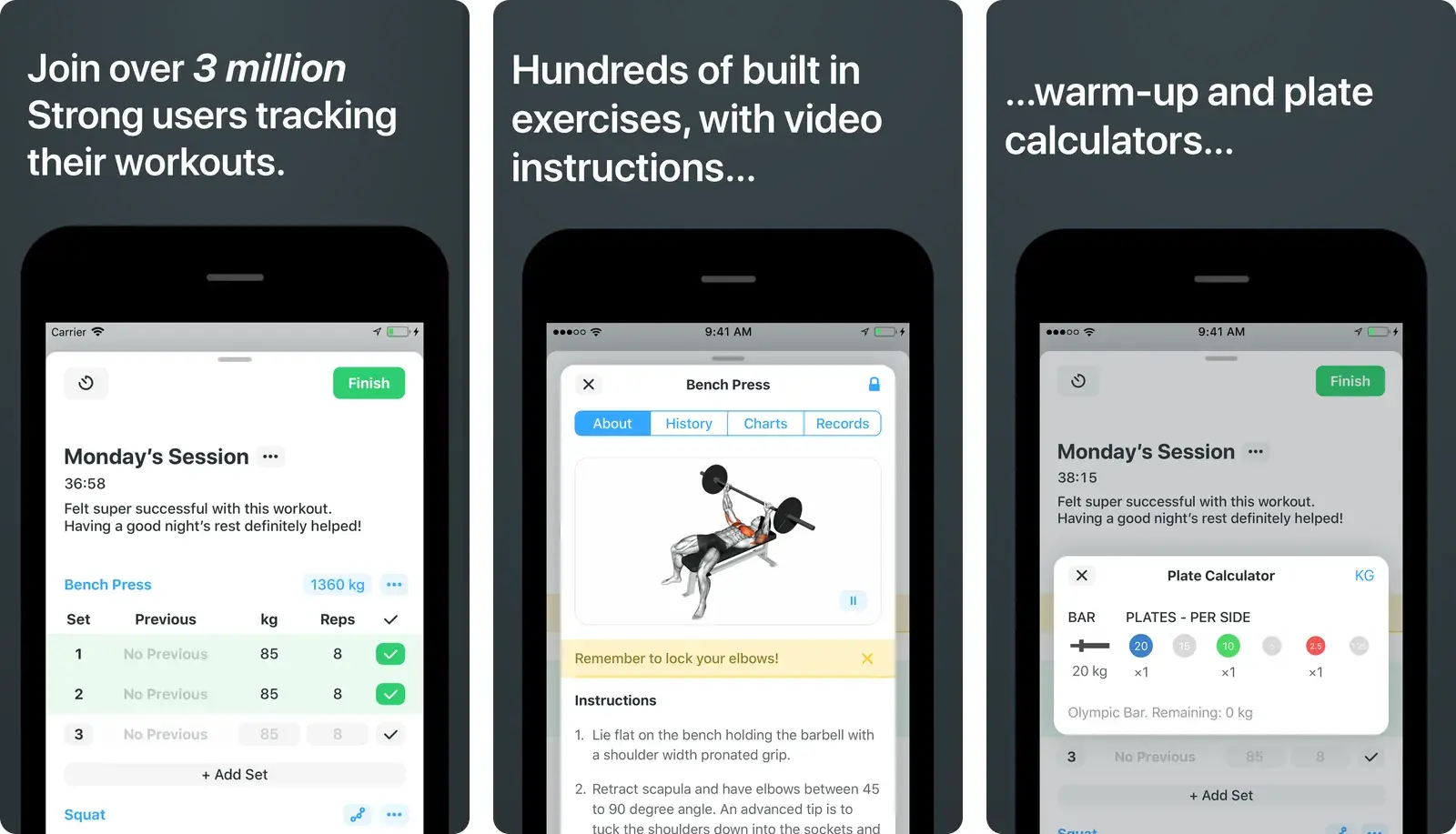
The honest downsides are price and friction. The free plan is capped at 3 custom routines, and Premium runs $4.99 a month or $29.99 a year per its App Store listing and a 2026 pricing comparison. Every set is still a tap through menus, which is exactly the friction the notes-app crowd is trying to escape. If Strong is what pushed you here, our Strong app alternatives guide goes deeper.
Hevy: the best free like-for-like app
Best for people who liked the idea of Strong but want a friendlier free tier. Hevy is the closest clean equivalent, with a social feed some lifters love and others ignore.
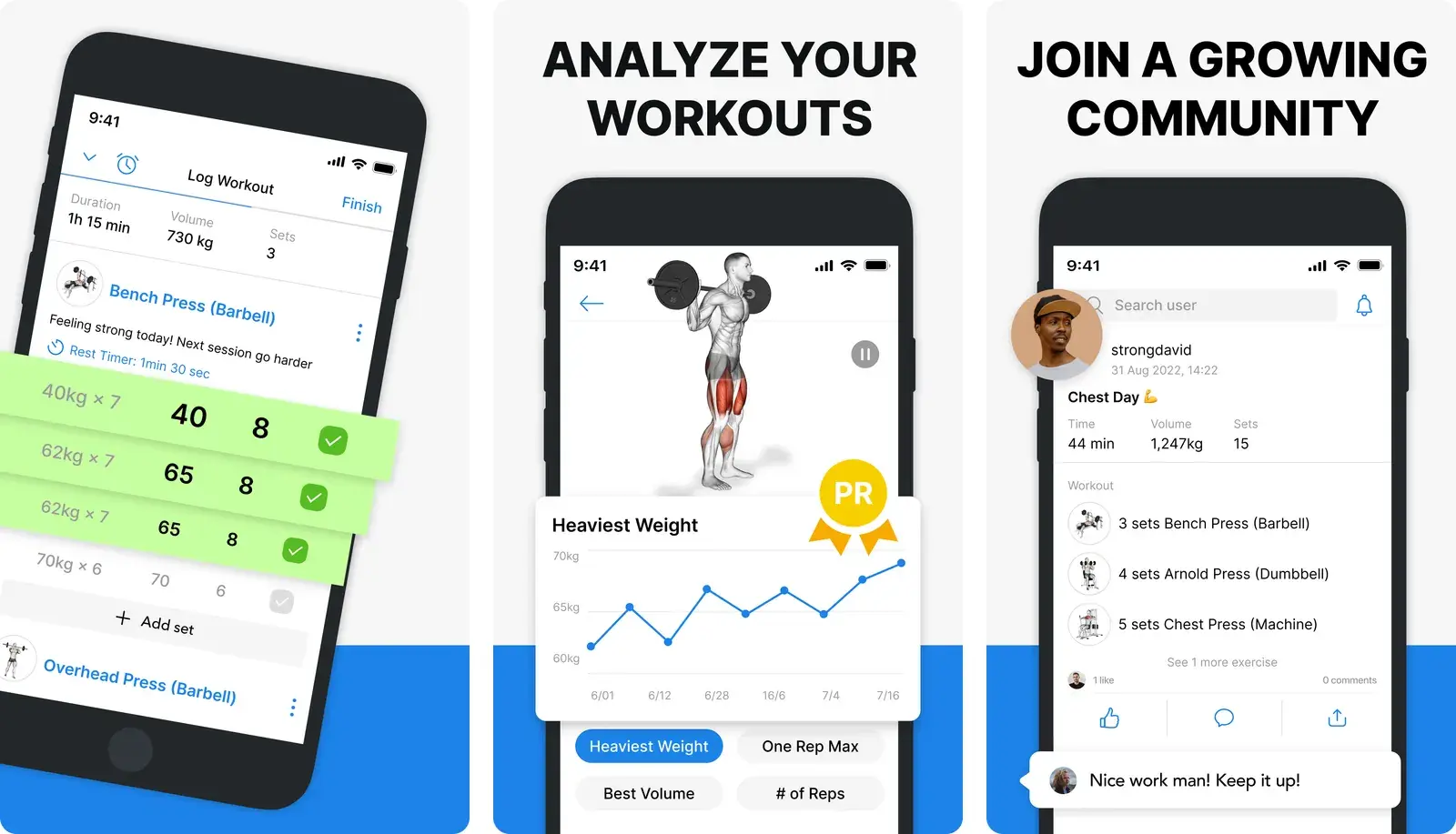
Its free plan covers 4 routines, 7 custom exercises, and about 3 months of history, and Pro is $2.99 a month, $23.99 a year, or $74.99 lifetime per the same pricing comparison. The lifetime option is genuinely nice. The catch is the same as Strong: it is a tap-per-set template app, so it is not the fastest way to log a freestyle session. If these two are your shortlist, we put them head to head in Hevy vs Strong. Lifters arriving from a guided beginner program usually want something different again, which is why we ranked apps like StrongLifts on whether they run the 5x5 for you.
FitNotes: free and no-nonsense on Android
Best for Android lifters who want a fast, free, ad-free log. No account, no subscription, just sets, reps, and clean progress charts. For simple logging on a budget it is genuinely excellent.
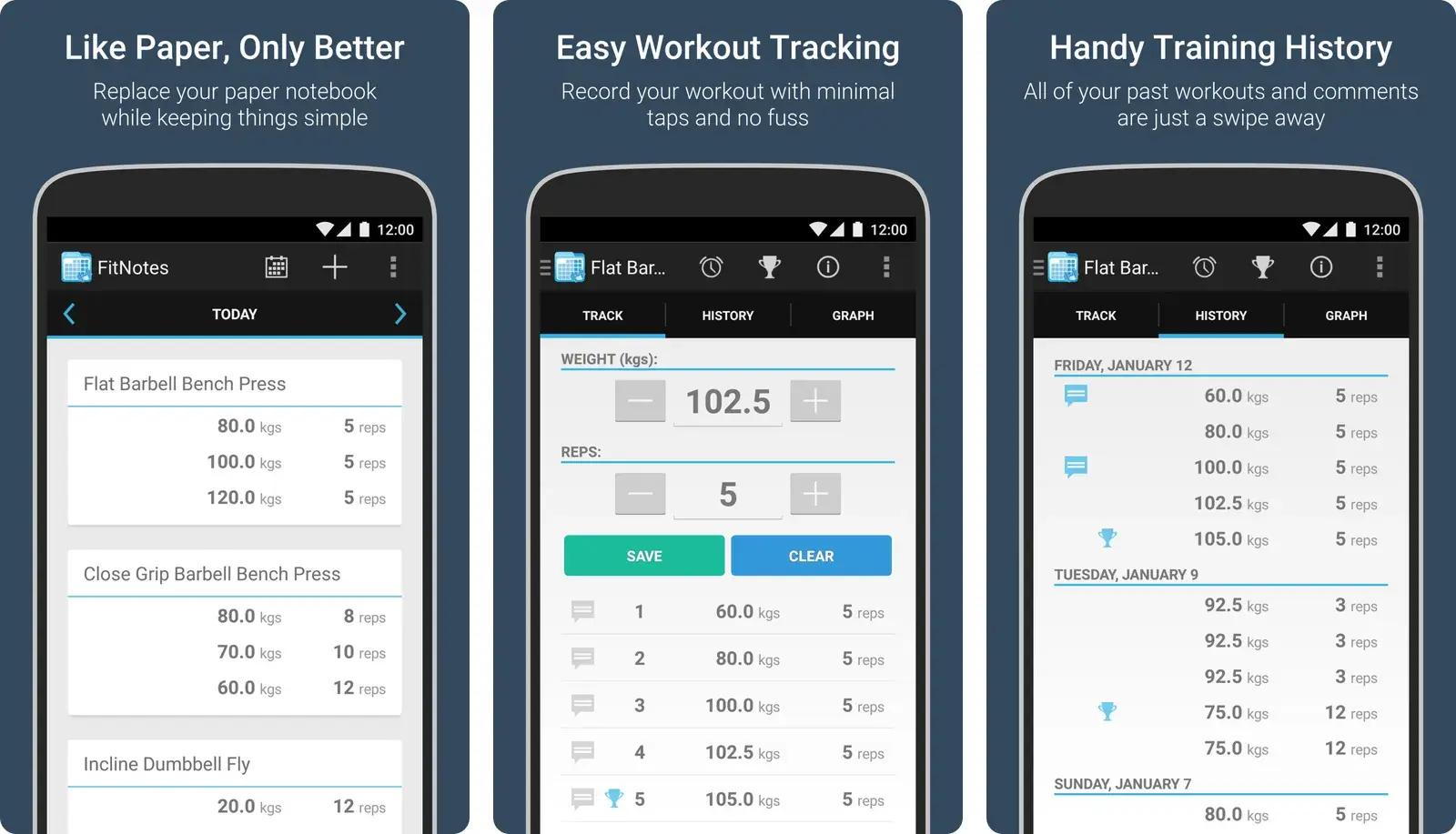
Two honest caveats. It is Android-only, so iPhone users can skip it entirely. And it has not seen major updates in a long while, so it feels a little dated and its future is uncertain. If you are on Android and want zero cost with zero fuss, that may not bother you at all.
If price is your only filter, we compared the best free workout tracker app options separately, including exactly where each free tier stops.
Fitbod: when you want the app to program for you
Best for people who want the workout decided for them. Fitbod's algorithm builds each session around your recovery and muscle balance, so you show up and follow the plan.
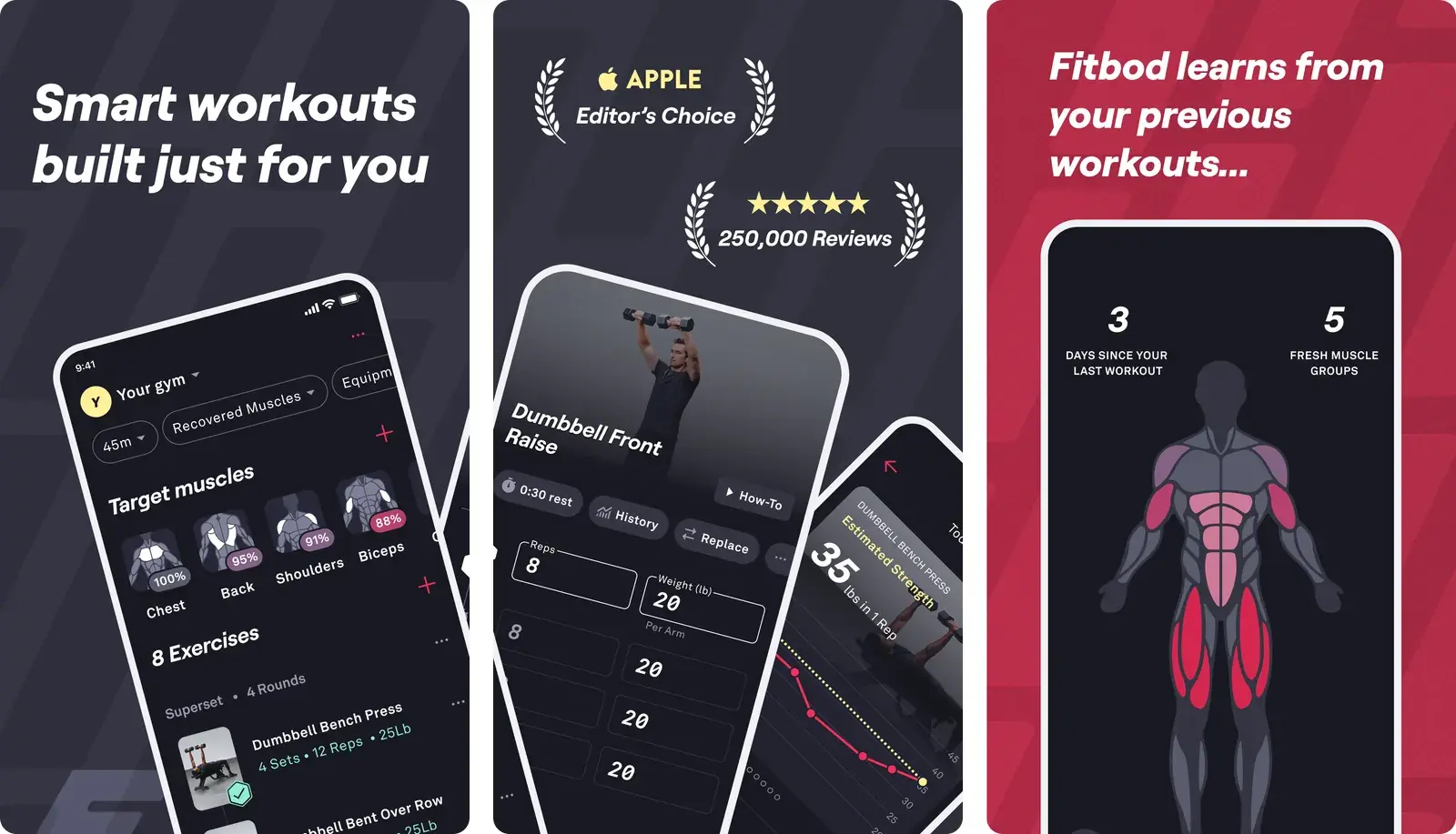
That is the opposite of a fast, freestyle logger, and it is the priciest option here. New subscribers pay $15.99 a month or $95.99 a year per a 2026 review, with a trial rather than a real free tier. If you already know your program, you are paying for guidance you do not need.
Jefit: the big library and structure
Best for people who want a large exercise database and detailed routines. Jefit ships with a huge exercise library, community programs, and demos, with a free tier that carries ads.
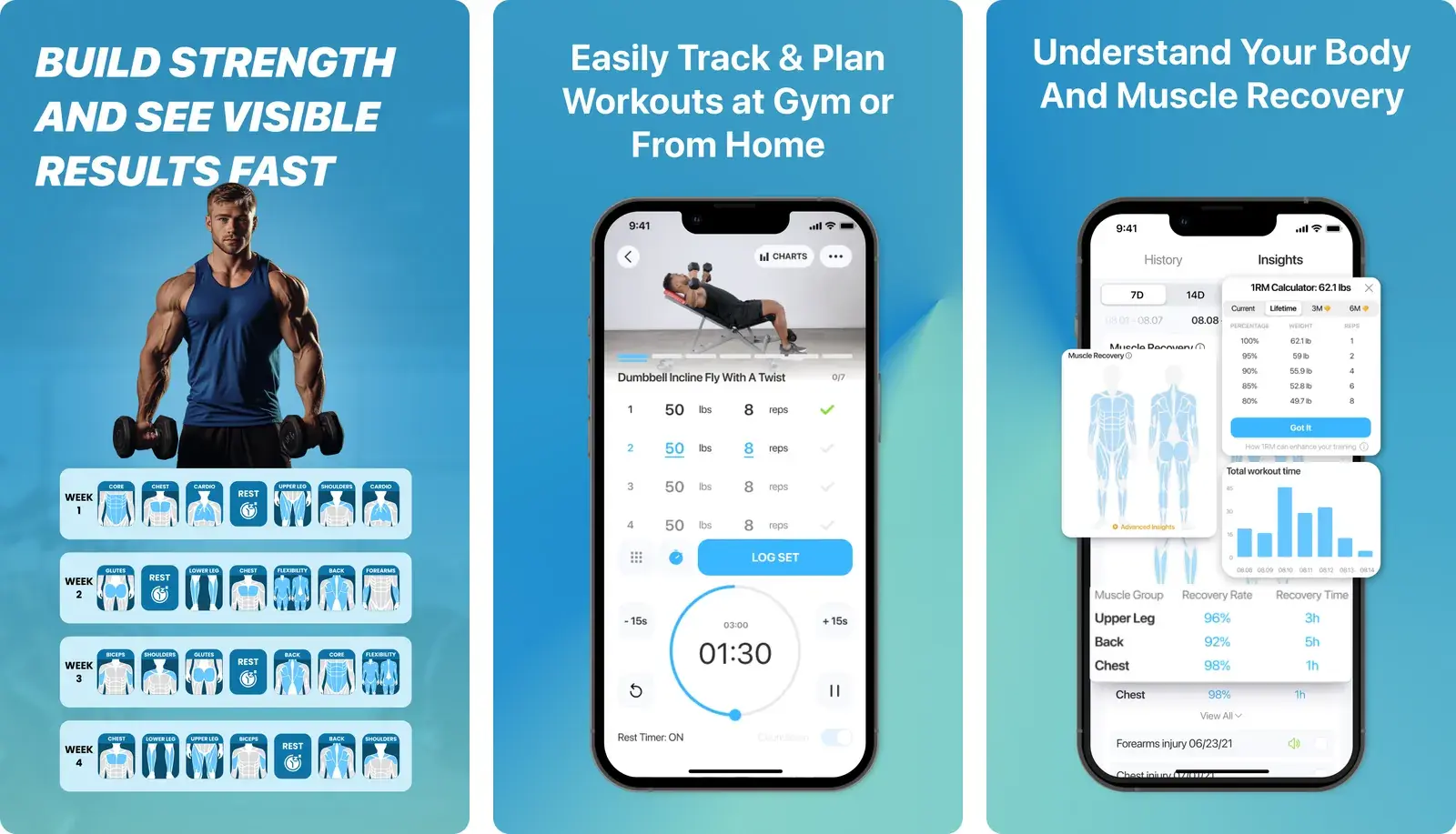
The paid Elite tier (around $12.99 a month or $69.99 a year per a 2026 comparison) unlocks advanced analytics and removes ads. It is feature-rich, which is the point and also the drawback: if you found other apps bloated, Jefit is not the one that will feel lighter. For lighter picks that drop the ads, see our Jefit alternatives.
Gym Note Plus: log like notes, get the charts anyway
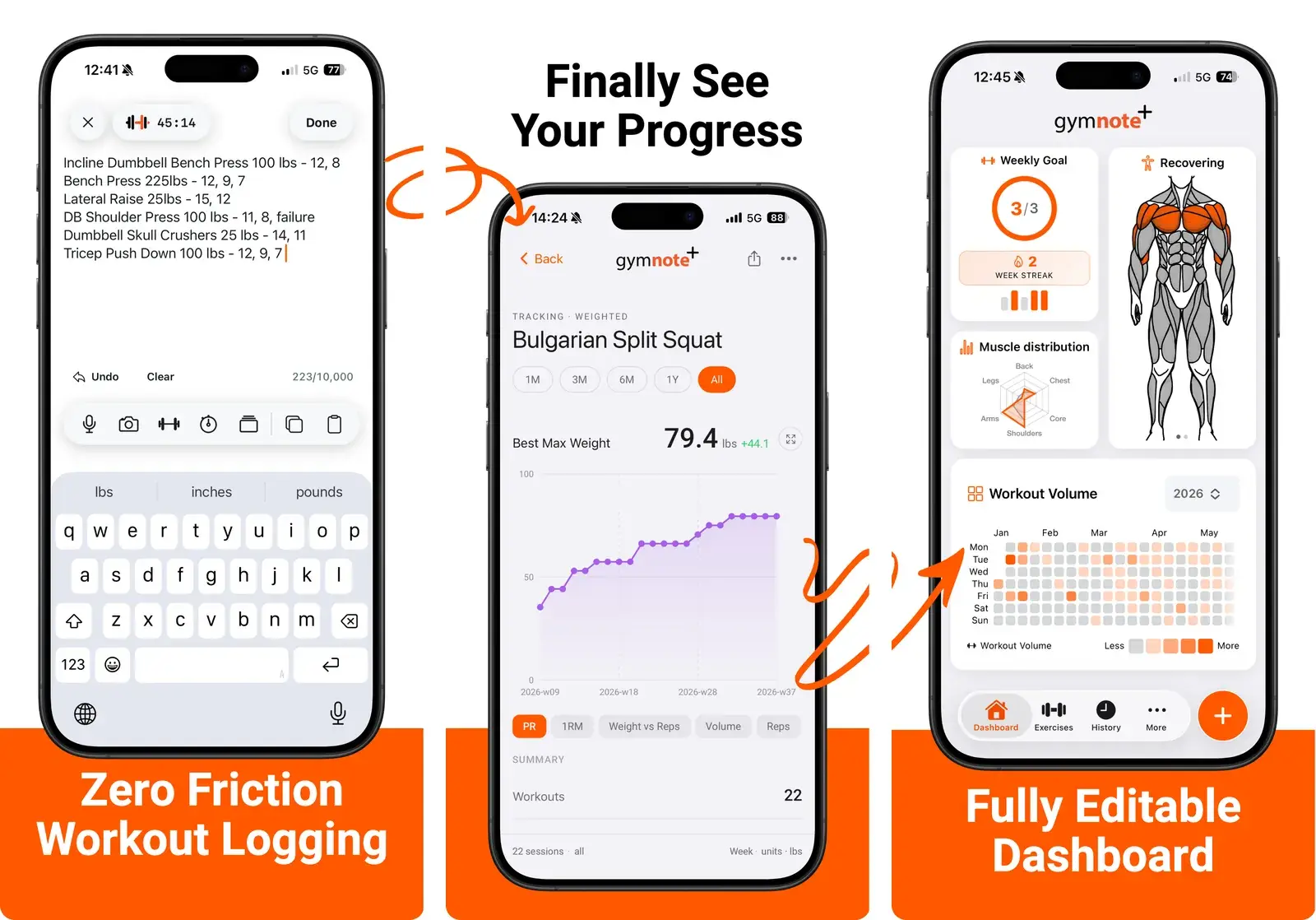
Best for people who want to keep logging in plain text and still get the data. Instead of tapping through menus, you type your workout the way you would in Apple Notes, and it reads that text and builds the tracking for you. Full disclosure: this is our own app, so it is the one pick here we are not neutral about. More on it below.
How the approaches really compare
Step back from individual brands and the real decision is about how you log, not which logo you tap. Most roundups leave paper and notes out entirely, even though that is what a huge number of lifters actually use. Here is the honest comparison.
| Feature | Physical Notebook | Notes App | Traditional Gym App | Gym Note Plus |
|---|---|---|---|---|
| Logging speed | Very fast | Very fast | Slow (menus and taps) | Very fast (plain text) |
| Data visualization | None | None | Strong | Strong |
| Flexibility | Total | Total | Rigid templates | Total (free-form text) |
| Searchability | None | Basic text search | Strong | Strong |
The pattern is clear. Paper and notes win on speed and flexibility but give you nothing back: no charts, no trends, no easy answer to "am I stronger than last month". Traditional apps flip that trade, handing you great data in exchange for slower input. The whole premise of a plain-text tracker is to refuse the trade.
If you want the named apps side by side instead, here is the quick version.
| App | Platform | Logging style | Price (at time of writing) |
|---|---|---|---|
| Strong | iOS and Android | Template, tap per set | Free (3 routines) or $4.99/mo |
| Hevy | iOS and Android | Template, tap per set | Free (4 routines) or $2.99/mo |
| FitNotes | Android only | Quick tap log | Free |
| Fitbod | iOS and Android | AI-built programs | ~$15.99/mo, trial only |
| Jefit | iOS and Android | Template, big library | Free with ads or ~$12.99/mo |
| Gym Note Plus | iOS | Plain text, parsed to charts | See site |
How to pick your app this week
You do not need a month of research. You need one honest question and three sessions.
- Name your one dealbreaker. Speed, price, platform, or guidance. Pick a single one. If tapping is the thing you hate, weight speed above everything.
- Match it to a shortlist of two. Guidance points to Fitbod. Free on Android points to FitNotes. A friendly free tier points to Hevy. Notes-speed logging points to a plain-text tracker. Do not install five.
- Log three real workouts in each. Time how long one set takes to record. That number, felt between working sets, decides whether the habit survives.
- Check recall on day four. Try to answer "am I stronger than last week" in under a minute. If the app cannot show you fast, it is too slow at giving data back.
- Commit for four weeks. Hopping between apps is how tracking dies. Give one a real month before you judge it.
If price is the dealbreaker, our list of workout apps without a subscription covers the one-off-payment and free-forever options. If you are new to lifting and want the shortlist narrowed further, the best workout apps for beginners roundup does that. And if you are weighing paper against an app more broadly, workout notebook vs app walks through that specific trade-off.
If the notes habit already works for you
Here is the thing worth saying plainly: logging in your notes app or a notebook is not a bad habit you need to fix. It is fast, flexible, and it is yours. The only thing it does not do is turn those lines into progress you can see.
That is the exact gap Gym Note Plus fills. You write your sets in plain text, the same shorthand you already use, and it reads that text into structured, trackable data. Nothing to relearn, because your notes are the input.
- Log in free-form text, as fast as a notebook or your notes app.
- Automatic charts, volume, and estimated 1RM, with no menus to tap.
- No routine paywalls capping how many programs you run.
- Your shorthand stays yours. Off-script sessions still log fine.
You can see the idea without installing anything. Paste a workout into the free notes to workout translator and watch a few lines of shorthand become a tracked session. If you like doing the math yourself, the one rep max calculator shows the kind of number the app estimates for you automatically. For the broader case, see why a simple workout tracker usually beats a bloated one, and how to pick the best notes app for workout tracking.
The best workout tracking app is not the one with the most features. It is the one whose logging is so fast you never think about quitting.
Frequently Asked Questions
What is the best free workout tracking app?
It depends on your platform. On Android, FitNotes is the strongest free option: no account, no ads, and clean progress charts, though it looks dated. Cross-platform, Hevy's free tier is the most generous of the big apps, covering 4 routines and about 3 months of history at the time of writing.
What is the best app to track gym workouts?
For most lifters, Hevy is the best all-round app to track gym workouts: a generous free tier, clean progress charts, and routines you can reuse week to week. If logging speed matters more than features, Gym Note Plus is faster, because you type sets as plain text instead of tapping through pickers. On Android, FitNotes is still the best free pick.
What is the fastest app to log a workout in?
Speed comes down to input method. Template apps like Strong and Hevy are quick once a routine is built but still need a tap per set. Plain-text trackers such as Gym Note Plus are typically fastest for freestyle sessions, because you type sets the way you would in a notes app and the tool parses the text into tracked data.
Which workout app builds the program for me?
Fitbod is the best-known option that generates workouts for you, using an algorithm that factors in recovery and muscle balance to pick each session. It is a paid subscription rather than a free logger, so it suits people who want guidance over speed. Lifters who already know their program rarely need it.
Is a workout tracking app better than a notebook?
A notebook wins on speed, flexibility, and having zero friction, but it gives you no charts, trends, or searchable history. An app adds that data layer at the cost of slower input. Plain-text trackers like Gym Note Plus aim to keep notebook speed while adding the automatic charts a paper log can never provide.
Do I have to pay for a good gym tracking app?
No. FitNotes on Android and the free tiers of Hevy and Strong all let you log real workouts without paying, though free plans usually cap routines or history. Paid tiers mostly buy unlimited routines, longer history, and advanced analytics. Try the free version first and only upgrade once you know you will keep logging.
Final Takeaways
- Pick by what you value, not by review scores. Speed, price, platform, or guidance should decide it.
- Hevy is the best free like-for-like app, with FitNotes the free pick on Android.
- Fitbod is for guidance, not speed, and it is the priciest option here.
- If tapping was the problem, change the input, not just the app. Plain-text logging keeps notes speed and still charts your progress.
- Run the three-session test. One dealbreaker, two apps, then commit for a month before switching again.

Josh Ibbotson
Josh is the creator of Gym Note Plus, building tools that make workout tracking as simple as taking notes.
Ready to try it out?
Download Gym Note Plus and start tracking your workouts the way you want.
Download on App Store