
Best Notes App for Workout Tracking
Quick answer: The best notes app for workout tracking is the one on your phone: Apple Notes on iPhone, Google Keep on Android. Both log a set in plain text in three seconds, sync everywhere, and never lock your data behind a subscription. None of them chart your progress, so pair one with a tool that reads your notes into trends.
You do not want another gym app. You want to write "Bench 185 3x5" and get back to your rest timer.
That instinct is right. A notes app is faster than any dropdown-driven tracker, it is already on your home screen, and it bends around whatever you scribble mid-set. The only thing it cannot do is show you whether you are actually getting stronger.
Why log your workouts in a notes app?
The whole job of a workout log is to answer one question next time you train: what do I need to beat? A notes app answers it faster than almost anything else.
Speed is the real advantage. Typing a number next to an exercise name takes about three seconds. There are no forms to load, no sets to tap out one at a time, and no account to log into first.
It is already in your pocket. You do not download anything, learn a new layout, or worry about whether the company behind it still exists next year. Your log lives in plain text you own.
It bends to reality. You can write "shoulder felt off, dropped to 155" in the same line as your working set, something a rigid app with fixed fields will not let you do.
And the habit itself is what drives results. In a controlled pilot study, people using a self-monitoring app averaged 7.24 exercise sessions per week after eight weeks, compared with 4.74 for those who did not track, a statistically significant gap, according to Voth, Oelke, and Jung (2016). Writing your sets down keeps you showing up.
Which is the best notes app for workout tracking?
There is no single winner, only the one you will open every session. Here is how the main options compare for logging lifts.
| Notes App | Platform | Best For | Watch Out For |
|---|---|---|---|
| Apple Notes | iPhone, iPad, Mac | Fast plain-text logging, iCloud sync | Overwriting one note and losing history |
| Google Keep | Android, web | Checklists and color labels per program | Long logs get cramped on one card |
| Samsung Notes | Samsung devices | Handwriting with an S Pen at the rack | Sync outside Samsung is clunky |
| Notion | Everywhere | Structured tables and databases | Slow to open, overkill mid-workout |
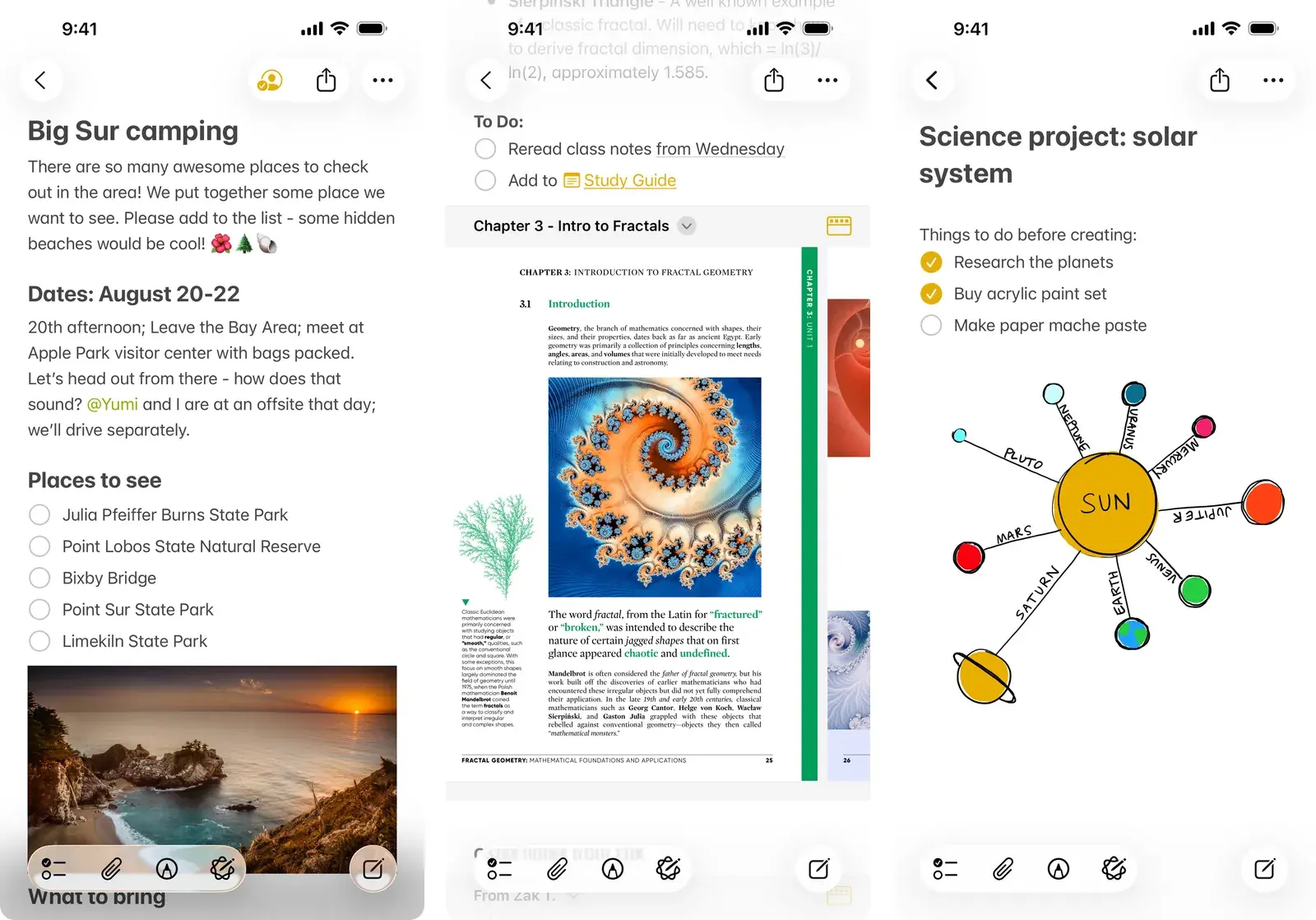
Apple Notes is the default winner for iPhone users. It opens instantly, syncs across every Apple device, and handles free-form text without complaint. Our Apple Notes workout template gives you copy-paste splits to start with. The failure mode in that last column is the one to plan around: if you run a high-volume split and keep editing a single note, the history you wanted is the thing you overwrite. We walk through why using Apple Notes for bodybuilding workout logs tends to come apart after a few months, and what to change before it does.
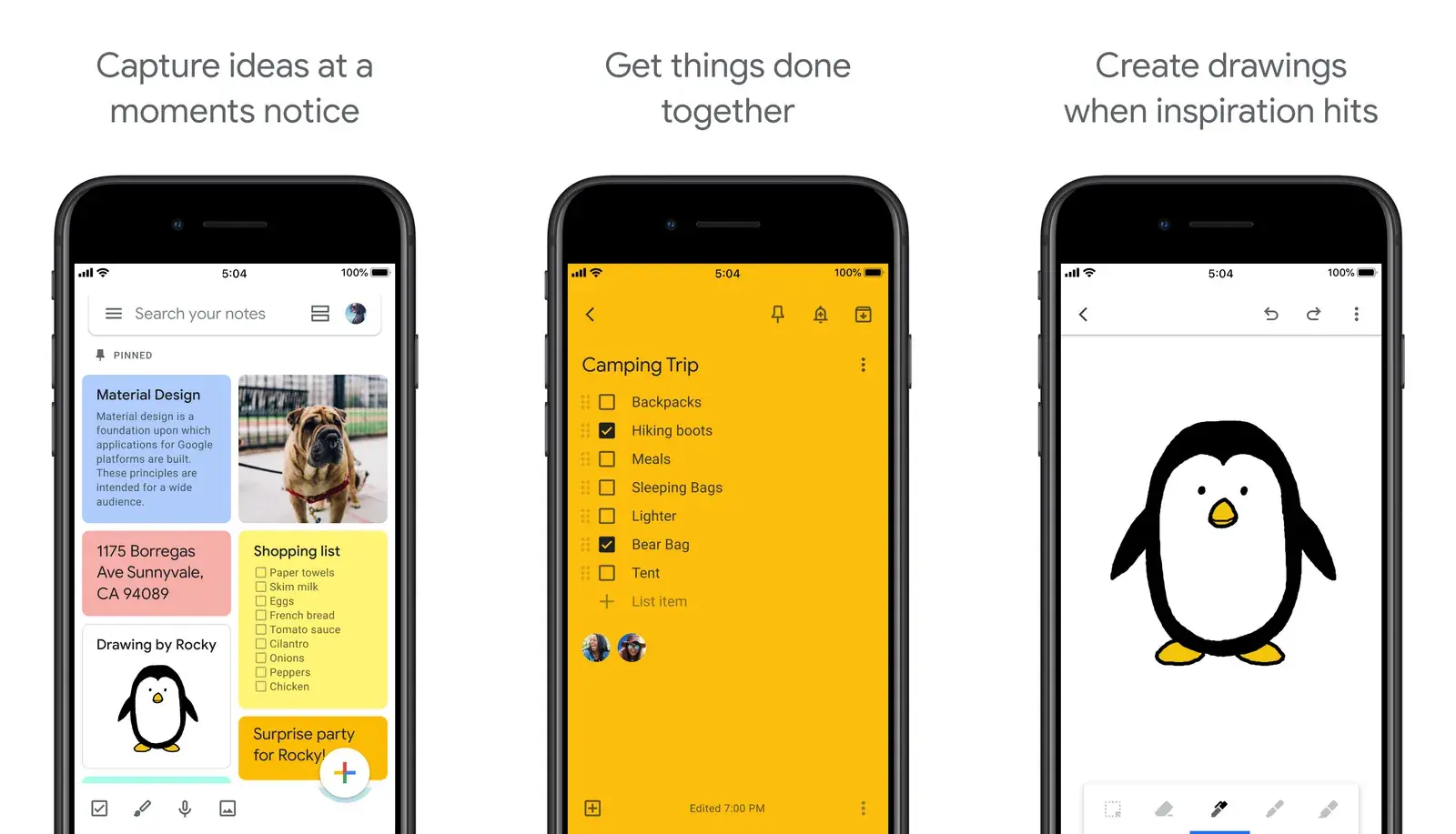
Google Keep is the Android equivalent. Its one genuine edge is checkboxes and color labels, so you can tick off sets and filter notes by program (a green label for Push Pull Legs, blue for Upper/Lower).
Samsung Notes suits anyone who prefers to handwrite with an S Pen, and our Samsung Notes workout template has a layout built for that, and Notion appeals to spreadsheet-minded lifters, though it is slower to open than you want between sets. If that is you, our Notion workout tracker template has the database setup, and lifters who live in markdown can copy our Obsidian workout tracker instead. On an iPad with a pencil, the Notability workout template is the handwriting equivalent.
How do you log a workout in a notes app?
The app matters less than the format. Pick one shorthand and use it every single session, because consistency is what makes your text readable later, by you and by any tool that parses it.
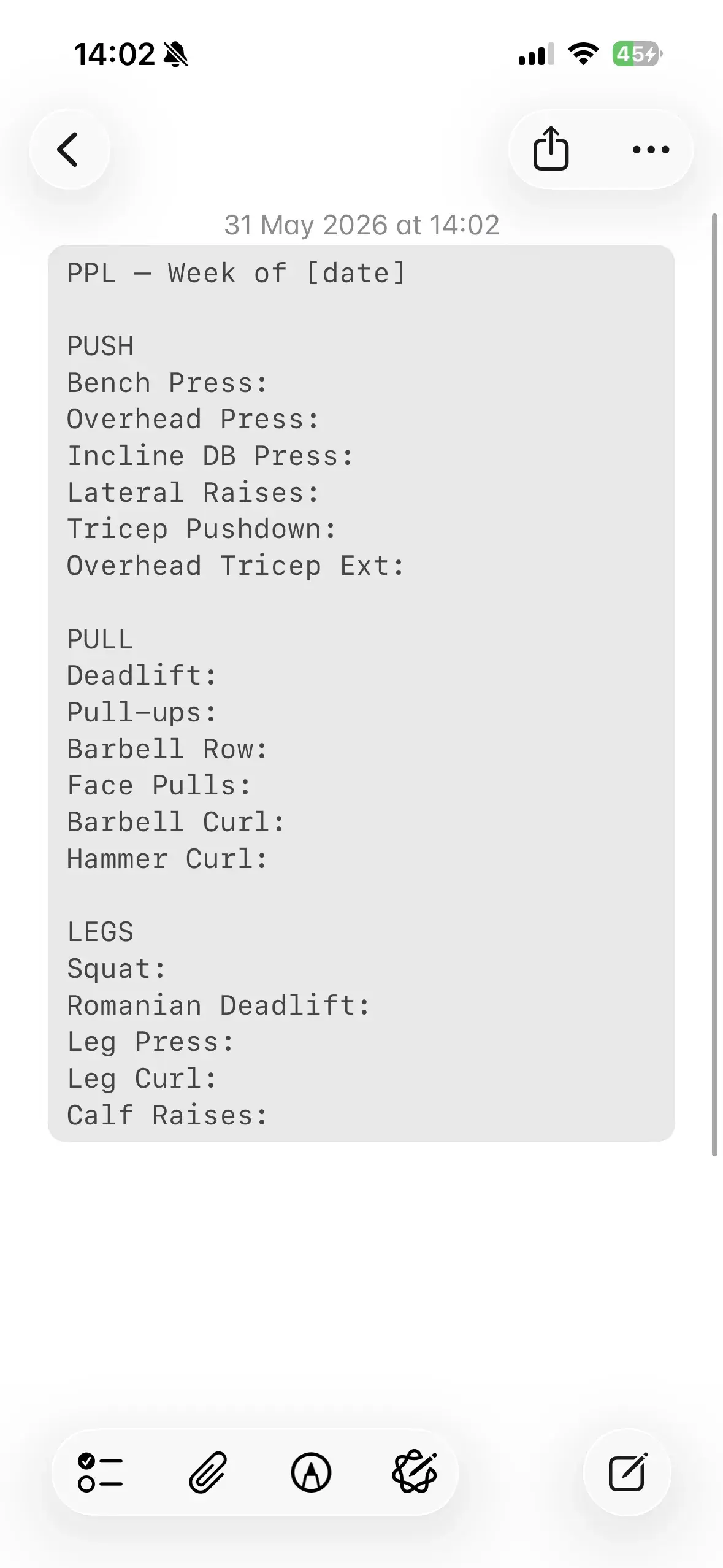
Here is a format that stays fast to type and clean to read:
| What you type | What it means |
|---|---|
Bench 185 3x5 | 185 lb, 3 sets of 5 reps |
Squat: 135x5, 185x5, 225x5 | Three sets at rising weight |
RDL 4x10 @ 100 | 4 sets of 10 reps at 100 lb |
Pull-ups BWx8, BWx8, BWx6 | Bodyweight, three sets |
Plank 3x60s | Timed: 3 sets of 60 seconds |
Start each session with a dated heading. Write the date at the top, then your exercises in order. One dated note per workout.
Never overwrite yesterday's note. The most common way lifters lose months of data is editing the same single note every time, so today's numbers erase last week's. Duplicate the note or start a fresh one, always.
Keep one folder or label for training. A single "Workouts" folder keeps your history searchable instead of scattered between grocery lists.
Notebook vs notes app vs gym app: which tracks progress best?
A notes app wins on speed and flexibility. Where it falls short is everything that happens after you write the number down.
| Feature | Physical Notebook | Notes App | Traditional Gym App | Gym Note Plus |
|---|---|---|---|---|
| Logging speed | Fast | Fast | Slow (menus, taps) | Fast (plain text) |
| Data visualization | None | None | Good | Good |
| Flexibility | High | High | Low (rigid fields) | High |
| Searchability | None | Basic | Good | Good |
A notes app cannot draw a trend line. It will not add up your weekly volume, chart your bench over six months, or flag a stalled lift. To see any of that you scroll back and do the math yourself, which almost nobody keeps doing.
A traditional gym app draws the charts but kills the speed. You trade three-second logging for menus, dropdowns, and a rigid form that has no field for "elbow tweak, dropped weight." If you are weighing the paper side of this, our workout notebook vs app comparison digs into the trade-off.
Keep your notes, add the charts
If a notes app works for you, keep using it. The habit of writing every set down is the thing that builds progress, and you already have it. You should not have to abandon it to see a graph.
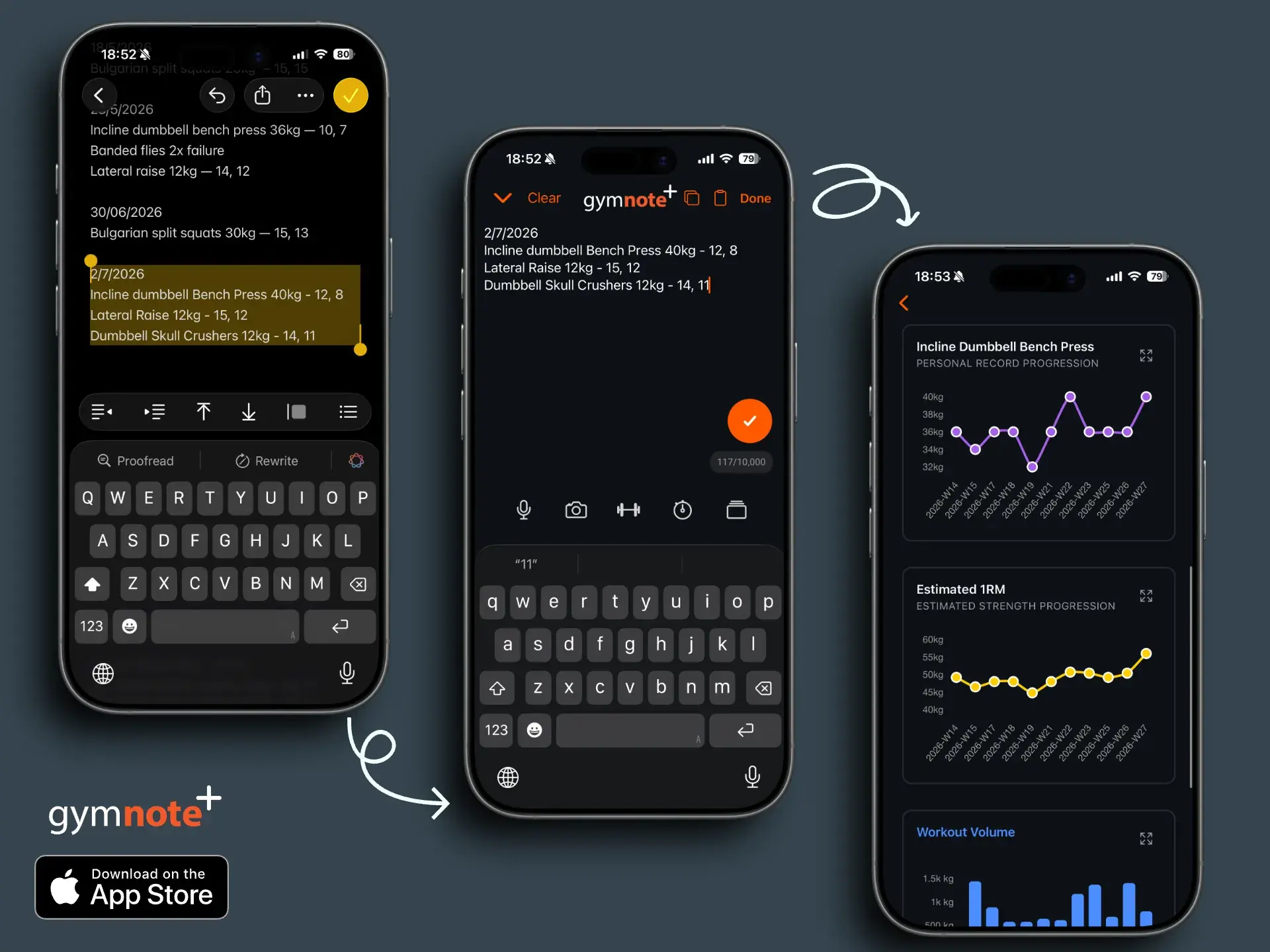
That is exactly the gap Gym Note Plus fills. You keep logging in plain text, in Apple Notes, Google Keep, or a notebook, in the same shorthand you already use. Then you paste the text in (or photograph a handwritten page) and it reads your messy notes into structured data automatically. You can see it work right now by pasting your last workout into the free notes to workout translator, no signup needed.
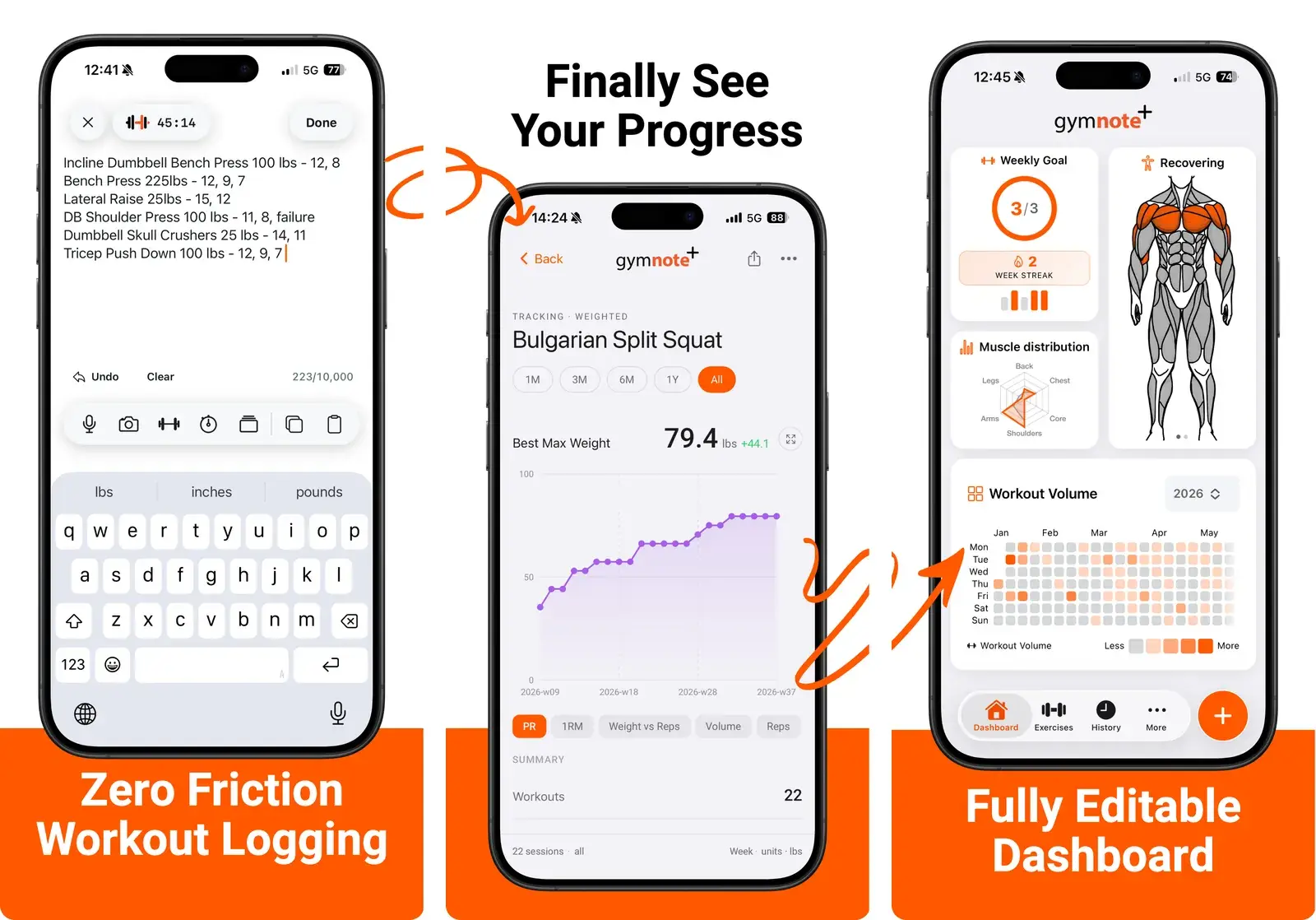
- No retyping. It identifies exercises, weights, reps, sets, and dates from your plain text.
- Automatic charts. Every lift gets a progress graph without you touching a spreadsheet.
- Estimated 1RM and volume. The math you would never do by hand, done for you.
- Full history, searchable. Find any exercise on any date in seconds.
If you already have months of workouts sitting in a notes app, you can paste that history in and see it charted in seconds. Our guide on turning iPhone gym notes into progress charts walks through the whole workflow.
A notes app is a great place to write your workout down. It is a terrible place to watch your progress grow.
A simple starting plan
You can have this running before your next session.
- Pick your notes app and stop shopping. Apple Notes on iPhone, Google Keep on Android. The best one is the one you will actually open.
- Choose one shorthand today. Copy the format above and commit to it every session, so your text stays clean.
- Make a "Workouts" folder or label. One home for every log keeps your history searchable.
- Log each set the moment you finish it. Numbers written between sets are accurate. Numbers written from memory in the car are fiction.
- Digitize once a week. Paste your notes into Gym Note Plus so you can see the trend lines your notes app cannot draw.
Frequently Asked Questions
What is the best notes app for tracking workouts?
The best notes app for tracking workouts is the one already built into your phone: Apple Notes on iPhone and Google Keep on Android. Both let you log a set in plain text in about three seconds, sync across devices, and store your data for free. Neither charts progress, so many lifters pair a notes app with a tool like Gym Note Plus that reads notes into graphs.
Can you use Google Keep as a workout log?
Yes. Google Keep works well as a workout log on Android. Create one note per session with a dated heading, list your exercises with weight, sets, and reps in plain text, and use color labels to separate programs like Push Pull Legs or Upper/Lower. Keep's checkboxes let you tick off sets, though long logs can feel cramped on a single card.
Is Apple Notes good for tracking workouts?
Apple Notes is one of the fastest ways to track workouts on iPhone. Apple Notes opens instantly, syncs through iCloud to your iPad and Mac, and accepts free-form shorthand like "Bench 185 3x5." Its main limitation is that it stores plain text with no charts, so you cannot see progress trends without pasting the notes into an app that visualizes them.
How do I turn my notes app workouts into progress charts?
Copy the plain text out of your notes app and paste it into Gym Note Plus, which reads the exercises, weights, reps, and dates automatically and builds progress charts, estimated 1RM, and volume trends. You keep logging in your notes app the way you always have, and the charts are generated from that same text with no retyping.
Is a notes app better than a dedicated gym app?
A notes app is faster and more flexible for writing sets down, with no menus or rigid fields. A dedicated gym app is better for seeing progress, since it charts lifts, calculates volume and one-rep max, and searches your history. The best setup for many lifters is both: log fast in a notes app, then feed that text into an app like Gym Note Plus for the analysis.
Final Takeaways
- The best notes app is the one already on your phone. Apple Notes for iPhone, Google Keep for Android. Speed beats features you will not use.
- Pick one shorthand and never overwrite. A consistent format and one dated note per session keep your history clean and readable.
- A notes app records well but shows nothing. It cannot chart volume, one-rep max, or a stalled lift on its own.
- Keep the habit, add the charts. Paste your notes into Gym Note Plus and the plain text you already write turns into automatic progress graphs.

Josh Ibbotson
Josh is the creator of Gym Note Plus, building tools that make workout tracking as simple as taking notes.
Ready to try it out?
Download Gym Note Plus and start tracking your workouts the way you want.
Download on App Store