
5 Best Apple Watch Workout Apps for Lifting in 2026 (Ranked & Compared)
Quick answer: The best Apple Watch workout apps for lifting in 2026 are Strong, Gymaholic, SmartGym, Hevy and Fitbod. Strong has the most complete Watch app and works with or without your iPhone. Gymaholic is built wrist-first, SmartGym runs standalone across Apple's devices, and Hevy has the most generous free tier.
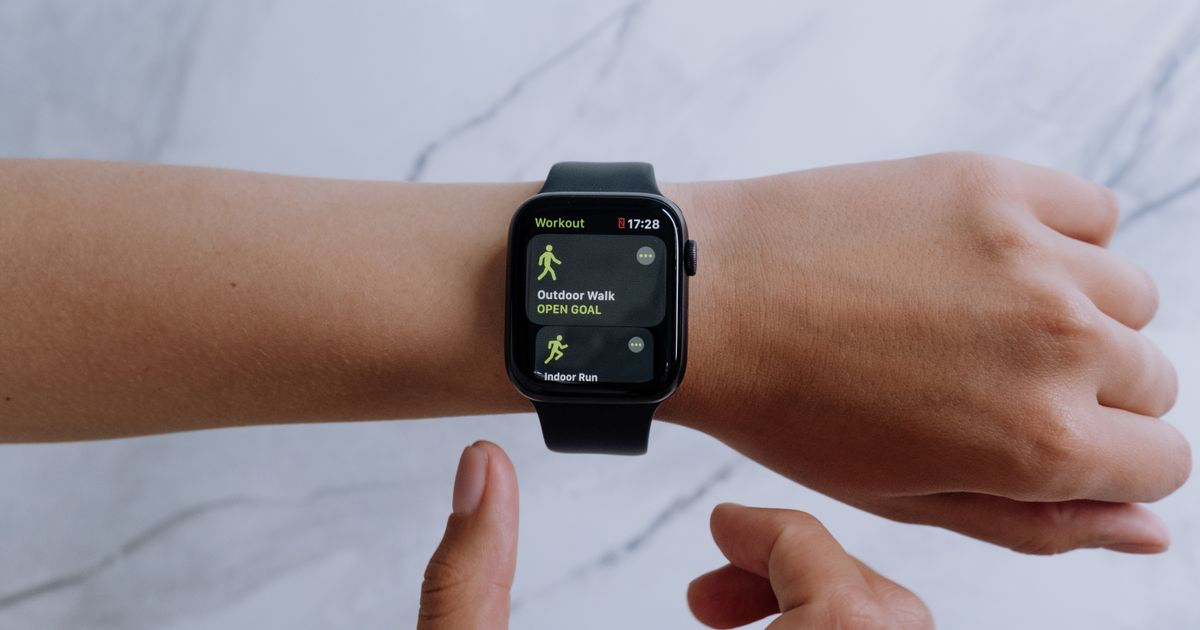
Apple's own Workout app knows you did Traditional Strength Training for 51 minutes at an average of 118 bpm. It does not know you benched 80kg for 8, 8 and 6.
That gap is the entire market. Every app below tries to close it from your wrist, and they are not equally serious about it. Prices and ratings are US App Store listings as of August 2026 and they move, so check before you pay.
What makes an Apple Watch lifting app good?
Set entry that works with a chalky finger. A Watch screen is roughly 40mm across. If logging a set means scrolling a picker wheel to 82.5, you will stop doing it by week two.
A real Watch app, not a remote control. Some apps run on the Watch alone and sync later. Others need the phone awake nearby. The difference shows up the first time your phone dies at rep four.
A rest timer that taps you. The single most useful thing a watch does in a gym. A haptic tap beats a phone buzzing in a locker.
Somewhere the numbers go afterwards. The Watch is a good stopwatch and heart rate monitor. It is a bad place to review three months of squats.
Which Apple Watch apps are best for lifting?
1. Strong: best all-round Watch app for barbell work
Platform: iOS App Store, Apple Watch and Android · Price: Free with a routine cap, PRO from $4.99 a month
The old reliable. Strong sits at 4.86 stars across roughly 108,000 ratings and has been the default barbell logger for years. Its listing describes a "fully-featured Apple Watch app to log workouts with or without your iPhone", which is the strongest standalone claim in the category from an app this widely used. Set entry is about as fast as tapping gets, and the plate calculator saves real arithmetic at the rack.
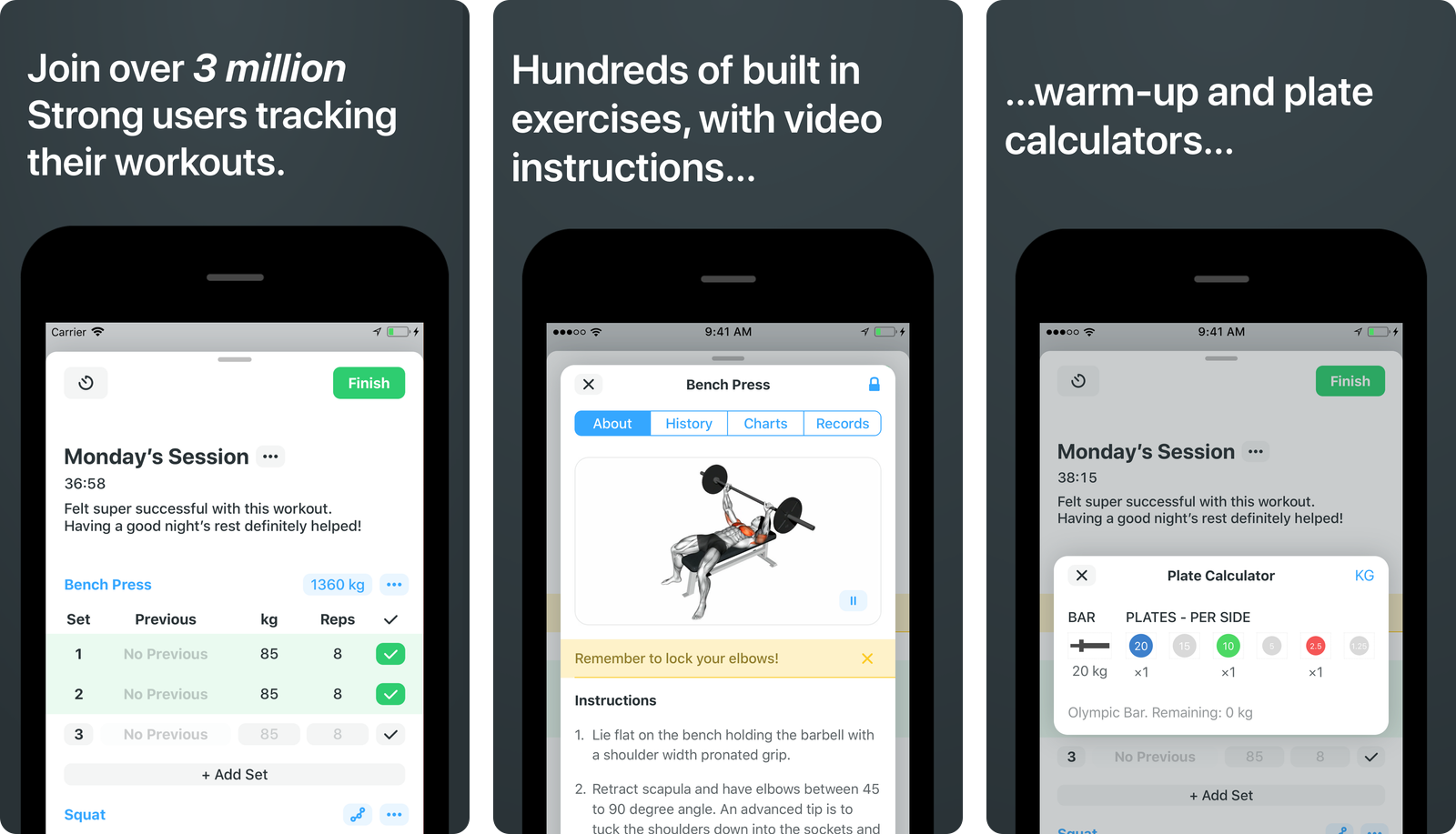
Strong assumes you already know what you are doing. There is no programming, no coaching and no session generator. It is a very good notebook with a timer, which for most lifters is exactly right.
2. Gymaholic: best wrist-first logging experience
Platform: iOS App Store, Apple Watch, Mac and Apple TV · Price: Free, with Monthly $3.99, Yearly $31.99, Pro $4.99 and Pro Gold $14.99
The one designed around the wrist. Gymaholic's store listing opens with "Log every set from your Apple Watch. No phone, no fumbling", and the Watch screens back it up: weight and reps entered on the wrist, a set counter, a rest ring and heart rate, plus 3D exercise animations pushed to the Watch itself. It is the smallest app here at 4.6 stars across roughly 3,500 ratings, which is worth knowing.
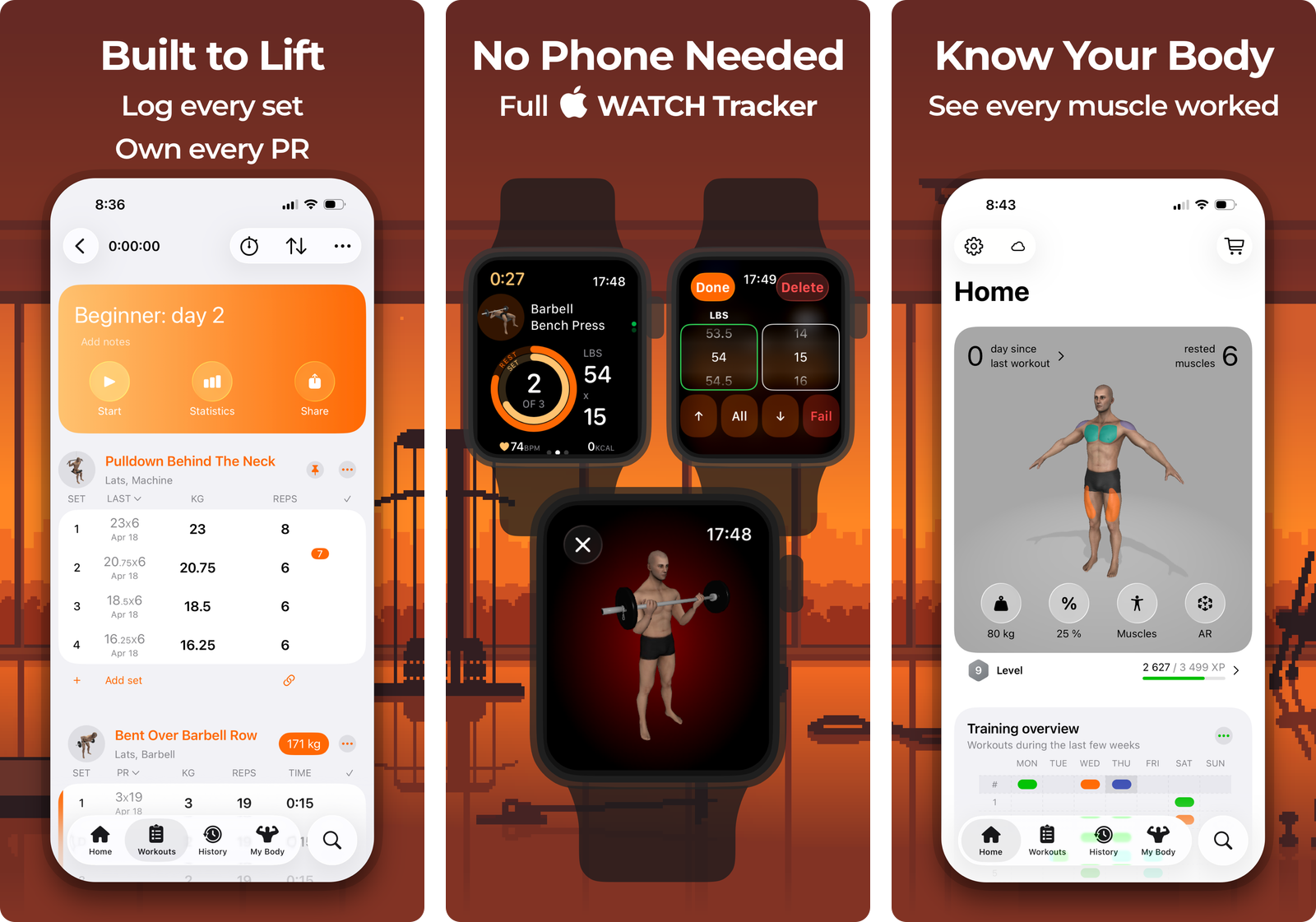
The trade is polish elsewhere. The iPhone side is capable but busier than Strong's, and the exercise library leans on animations rather than video. If the Watch is where you want to work, this is the app that thinks about it hardest.
3. SmartGym: best across the whole Apple ecosystem
Platform: iOS App Store, Apple Watch, Mac and Apple TV · Price: Free, with Premium+ at $9.99 a month or $59.99 a year, and a one-off SG Premium at $39.99
The Apple-native one. SmartGym is a former Apple Watch App of the Year and an Apple Design Awards finalist, and its Watch app runs without an iPhone connection: start a session, follow the plan, change exercises, or trigger the whole thing with Siri. It rates 4.7 stars across roughly 33,000 ratings, and the same account carries across Watch, Mac and Apple TV.
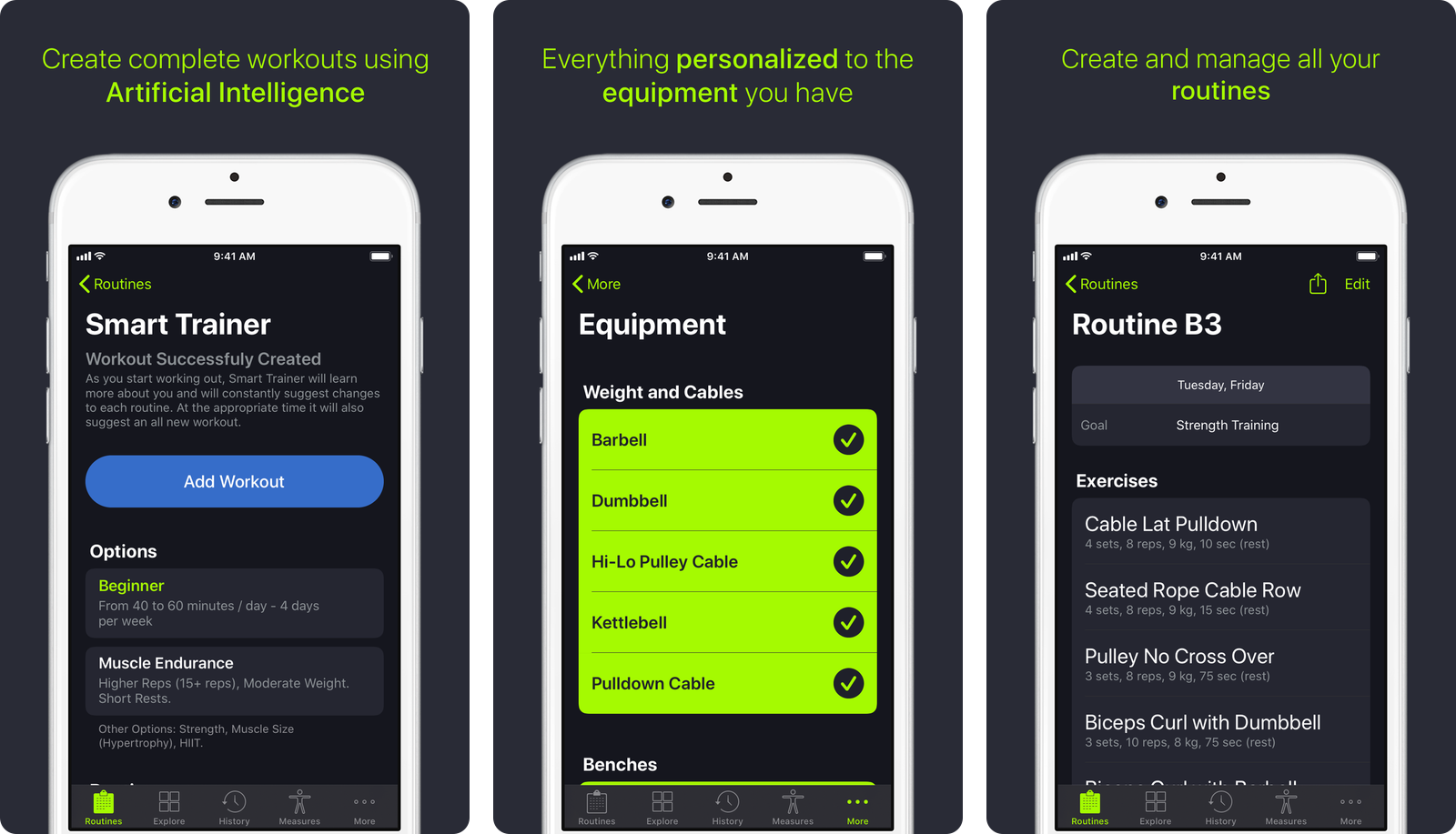
The catch is the pricing shelf. The listing carries ten separate in-app purchases, from a $6.99 monthly account to a $124.99 coaching tier, and working out which one you need takes longer than it should.
4. Hevy: best free tier with a Watch app attached
Platform: iOS App Store, Apple Watch, Wear OS and Android · Price: Free, Hevy Pro from $2.99 a month or $74.99 lifetime
The generous default. Hevy holds the highest rating in the category at 4.92 stars across roughly 87,000 ratings, and its free tier logs unlimited workouts rather than trapping you after a fortnight. On the Watch you can run your saved routines, live sync with the phone, and the listing notes that "Watch workouts automatically save when reconnecting to iPhone", so a session away from your phone is not lost.
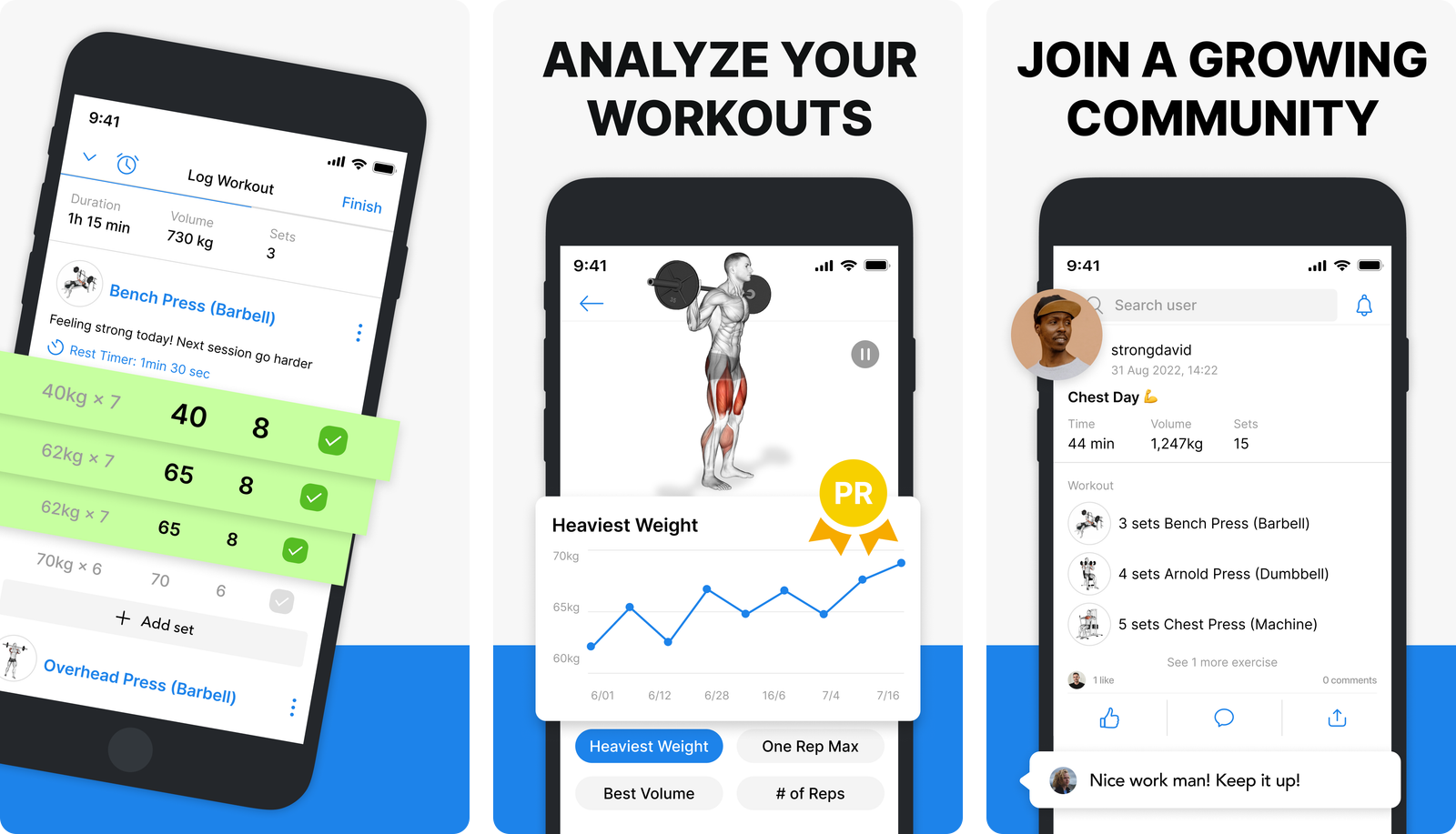
Hevy's real strength is the phone app and the charts behind it. Treat the Watch as a convenience layer on top of a very good logger rather than the reason to install it.
5. Fitbod: best if you want the session chosen for you
Platform: iOS App Store, Apple Watch, Android and web · Price: No free tier. Trial, then monthly plans from $12.99, or a year from $79.99
The decision remover. Fitbod is the largest app here at 4.81 stars across roughly 281,000 ratings. It builds today's session from your equipment, your recent training and its own recovery model, then sends it to the Watch so you can follow along without reading your phone.
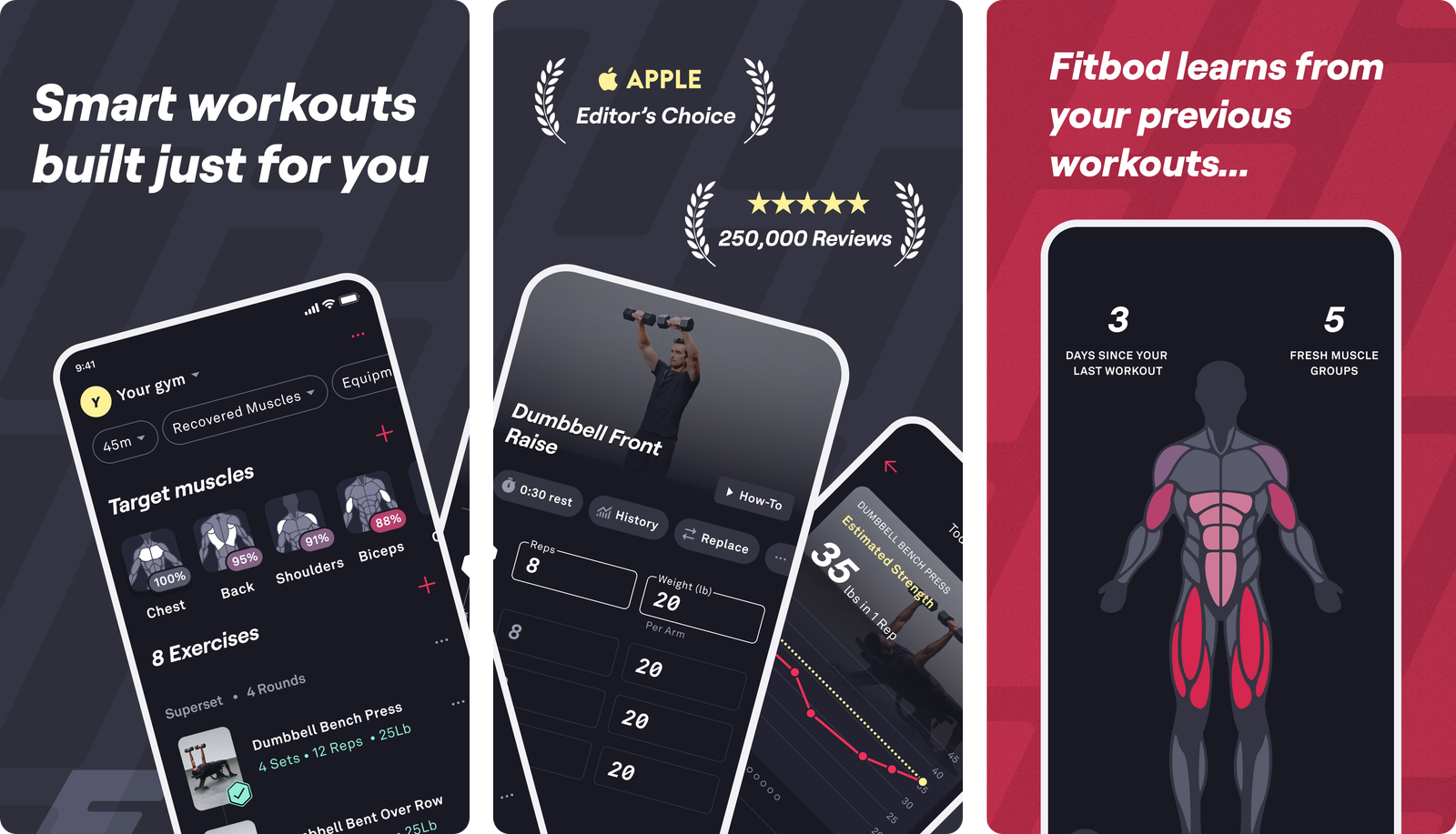
It is the most expensive option and the only one with no usable free tier. Its listing describes Apple Watch support without claiming standalone use, and because it varies your exercises often, it suits someone who wants to be told what to do more than someone tracking whether one specific lift is moving.
How do the Apple Watch lifting apps compare?
| Strong | Gymaholic | SmartGym | Hevy | Fitbod | |
|---|---|---|---|---|---|
| Standout feature | Cleanest barbell logger | Full set entry on the wrist | Runs across Watch, Mac and TV | Best free tier | Picks the session for you |
| Works without the iPhone | Stated on the listing | Stated on the listing | Stated on the listing | Syncs on reconnect | Not claimed |
| Usable free tier | Yes | Yes | Yes | Yes | No |
| Tells you what to lift | No | Some plans | Yes | No | Yes |
| App Store rating | 4.86 | 4.6 | 4.7 | 4.92 | 4.81 |
| Cheapest paid tier | $4.99 a month | $3.99 a month | $9.99 a month | $2.99 a month | $12.99 a month |
Prices and features shift over time, so check the current listings before you commit to anything.
Which should you pick?
- Pick Strong if you run a fixed barbell routine. The fastest plain logger here, with the most complete Watch app behind it.
- Pick Gymaholic if the Watch is the point. No other app puts this much of the logging flow on your wrist.
- Pick SmartGym if you live in Apple's ecosystem and want the session to run on the Watch, the Mac and the TV without thinking about it.
- Pick Hevy if you want the best free option and care more about the charts than the wrist.
- Pick Fitbod if choosing the workout is your bottleneck, and accept that you are paying for programming rather than logging.
What about the built-in Workout app?
It is better than people give it credit for, at the thing it does. Start Traditional Strength Training and you get honest session timing, heart rate reliable enough to tell you whether your rest periods are real rest, and a training load comparison across the last seven days.
What it does not do is record a single number about the barbell. Apple's Workout app has no field for weight, reps or sets, and no dedicated rest timer, which is why every app above exists.
Our guide to tracking strength workouts on Apple Watch covers what the Watch records natively and where the gaps are.
A simple starting plan
- Decide what the Watch is for. Session timing and rest, or full set logging. That one answer removes three of the five apps.
- Install one app, not four. Comparing trackers in week one is procrastination with a heart rate graph attached.
- Run the same lift for four weeks before judging anything. Whether a Watch flow works is a question about friction, and friction only shows up when you are tired.
- Test it with your phone in a locker once. Only then will you find out what your app actually does when the iPhone is out of range.
- Review the numbers on a bigger screen. Nobody has ever understood their squat progress on a 45mm display.
If your numbers currently live in a note
Plenty of experienced lifters wear a Watch for the session and still type the sets into Apple Notes, because typing Bench 80kg 8/8/6 beats any picker wheel on any device.
That habit is not the problem. The problem is that a year of it is a wall of text with no memory.
Gym Note Plus reads that plain text and builds the half the Watch cannot:
- Every exercise gets its own trend line, so a training block reads as a direction
- Volume and estimated 1RM calculated from the text, with no fields to tap
- Photograph a handwritten page and have it read into the log
- Nothing about your logging habit changes. Keep the Watch session, keep the note, get the charts
Paste your last workout into the free notes to workout translator and see what comes back. If you have months of old notes sitting on your phone, our guide on converting iPhone gym notes into trackable data covers the cleanup.
| Physical Notebook | Notes App | Traditional Gym App | Gym Note Plus | |
|---|---|---|---|---|
| Logging speed | Fast | Fast | Slow at first | Fast |
| Data visualization | None | None | Charts | Charts from your text |
| Flexibility | Total | Total | Fixed fields | Total |
| Searchability | Flip pages | Text search | Structured search | Structured search |
| Works with a Watch session | Alongside it | Alongside it | Writes to Health | Alongside it |
A watch is very good at measuring what your body did. Only you can record what the barbell did, and that is the half that decides whether you get stronger.
Frequently Asked Questions
What is the best Apple Watch app for weight lifting in 2026?
Strong is the best Apple Watch app for weight lifting in 2026 for most lifters, combining a 4.86 star rating across roughly 108,000 reviews with a Watch app its developer describes as fully featured with or without an iPhone. Gymaholic is the better pick if you want set entry designed around the wrist first.
Can you log sets and reps on an Apple Watch?
Yes, but not with Apple's built-in Workout app, which records only duration, heart rate and calories. Third-party apps including Strong, Gymaholic, SmartGym, Hevy and Fitbod add set, rep and weight entry on the Watch, so the barbell numbers land somewhere permanent rather than in your memory.
Does the Apple Watch count reps automatically?
No. The Apple Watch has no rep counting for weight training. It tracks heart rate, movement, session duration and estimated calories, so any record of sets, reps and load has to be entered by you in a third-party app or typed somewhere afterwards.
Is there a free Apple Watch workout app for the gym?
Yes. Hevy, Strong, Gymaholic and SmartGym all have free tiers you can use indefinitely rather than short trials, and all four include Watch functionality. Hevy's free tier is the most generous for logging, with unlimited workouts and no time limit. Fitbod has no free tier.
Which gym app works on Apple Watch without an iPhone?
Strong, Gymaholic and SmartGym all state on their App Store listings that their Watch apps work without the iPhone present. Hevy's listing says Watch workouts save automatically when the Watch reconnects to the phone. Fitbod's listing describes Apple Watch support without making a standalone claim.
Should you use Apple's Workout app or a third-party gym app?
Use both. Start Traditional Strength Training in Apple's Workout app for the session timing, heart rate and training load, and use a third-party app or a typed note for the sets, reps and weights. Apple's app has no field for load at all, so on its own it cannot show progress.
Final Takeaways
- Decide first whether the Watch is logging or just timing. That single question narrows five apps to two.
- Strong is the safest all-round pick, with the most complete Watch app and the plainest logger behind it.
- Gymaholic is the most wrist-first, at the cost of a smaller user base and a busier phone app.
- SmartGym earns its Apple Watch App of the Year badge and buries the value in ten pricing tiers.
- Apple's own Workout app records nothing about the barbell, which is the entire reason this category exists.
- If you already type sets into a note, keep doing it and add the charts rather than restarting in a new app.

Josh Ibbotson
Josh is the creator of Gym Note Plus, building tools that make workout tracking as simple as taking notes.
Ready to try it out?
Download Gym Note Plus and start tracking your workouts the way you want.
Download on App Store