
How to Track Strength Workouts on Apple Watch (What It Records and What It Misses)
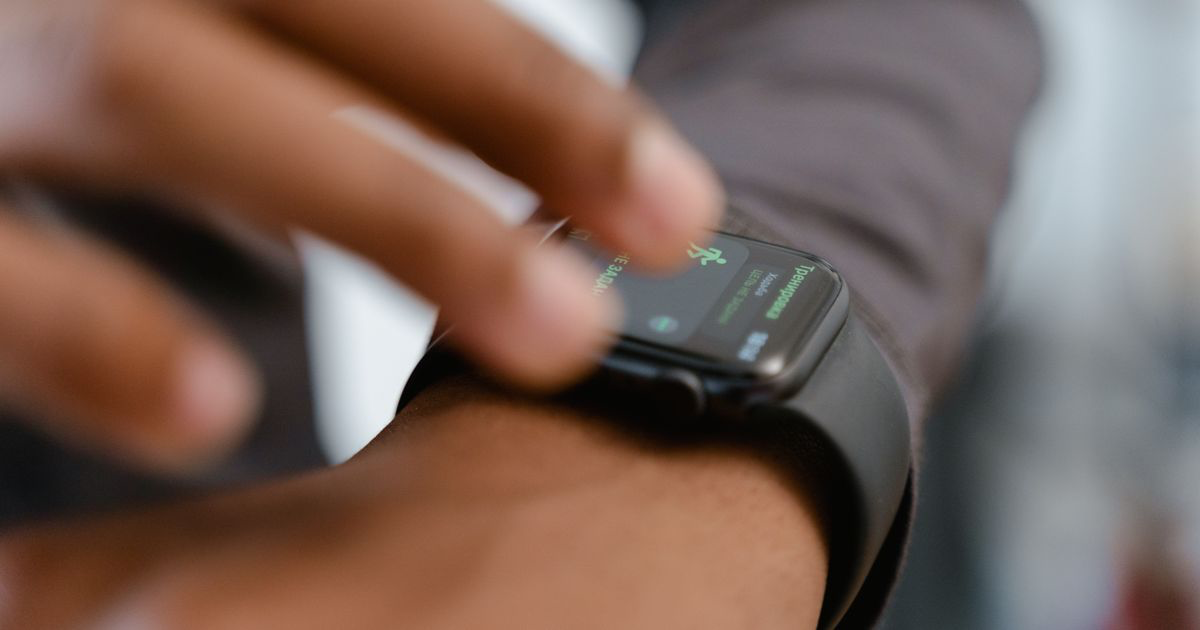
Quick answer: Start the Traditional Strength Training workout type in the Workout app. Your Apple Watch will record the session duration, your heart rate and an estimated calorie burn. It does not record sets, reps or weight, so you still need somewhere to write the numbers down.
That last sentence is the whole problem, and almost nobody says it out loud before you buy the watch.
You strap it on, tap Traditional Strength Training, do an hour of squats and rows, and get a summary saying your average heart rate was 118 and you burned 340 calories. Useful for closing a ring. Useless for answering "did I squat more than last Tuesday?"
What does the Apple Watch actually record during a strength workout?
Apple lists Traditional Strength Training and Functional Strength Training among the workout types available in the Workout app, alongside roughly seventy others (Apple Support).
Picking the right one tags the session correctly and feeds the calorie estimate. It does not change what gets measured.
What the Watch measures is your body, not the barbell. Apple describes the live workout screen as showing metrics "such as active calories, heart rate, and distance" (Apple Support). Raise your wrist mid set and you see elapsed time, your goal ring, calories and heart rate (Apple Support).
The post-workout summary is the same list. Apple says the summary in the Fitness app on iPhone "includes workout details, splits, heart rate, effort, and route" (Apple Support).
Read that list again. Exercise names, sets, reps and load are all missing from it.
The Watch records the session, and a lifting log records the lifting. It knows you trained for 54 minutes and roughly how hard your cardiovascular system worked. It has no idea whether those 54 minutes contained five sets of deadlifts or twenty minutes of scrolling between machines.
Where does the data end up?
The workout saves to your Health data and shows up in the Fitness app on iPhone under Sessions, where you tap a workout to see its detail (Apple Support).
Third-party lifting apps write their sessions there too, which is why a Hevy or Strong workout appears in your Fitness history. The set-by-set detail stays inside that app. Health stores the workout envelope, not its contents.
Is the calorie number on a strength workout accurate?
Treat it as a rough estimate, not a measurement.
Heart rate on the wrist is the part Apple does well. In a Stanford study of seven wrist-worn devices published in the Journal of Personalized Medicine, Shcherbina and colleagues found the Apple Watch had the lowest heart rate error of any device tested, a median of 2.0%. Calories were the metric none of the seven got right: no device came in under 20% error.
Lifting is the hardest case for that estimate. Calorie models built on heart rate assume a steady aerobic effort. A heavy triple spikes your heart rate for reasons that have little to do with how many calories you spent, and then you stand still for three minutes.
Use the number to compare this Tuesday against last Tuesday if you like. Do not build a diet around it. If you want calorie targets, start from an equation rather than a wrist sensor: the free TDEE calculator gives you maintenance, cutting, and lean bulking numbers. For what a weights session actually costs, our breakdown of how many calories lifting weights burns works from published MET values instead of a heart rate model.
Why can't the Apple Watch count your reps?
Because nothing on your wrist can see the weight.
The Watch has an accelerometer, a gyroscope and an optical heart sensor, a combination that works well for cadence-based activity such as running, where wrist motion maps onto what your legs are doing.
A barbell row and a cable row look almost identical from the wrist, and so do 60kg and 100kg. The sensor cannot see the load, and load is what progressive overload is measured in.
Apple has not claimed otherwise. No set counter or rep counter appears anywhere in Apple's Workout app documentation, which is more honest than the marketing on plenty of rival wearables.
Some third-party apps do attempt automatic rep counting from wrist motion. Accuracy varies by exercise, and none of them can infer the weight on the bar, so you still type that in.
What is the Apple Watch genuinely good at during lifting?
Quite a lot, once you stop asking it to be a logbook.
Session timing without thinking about it. Start it once, end it once, and you get an honest record of how long you were actually in the gym rather than how long it felt.
Heart rate you can trust. Given the 2.0% median error above, wrist heart rate is reliable enough to tell you whether your rest periods are real rest, and to flag the sessions where you never recovered between sets.
A rest timer that taps your wrist. The Timers app lets you start a quick timer by tapping a preset duration such as 1, 3, or 5 minutes, or reuse one you recently ran, and you can run several at once (Apple Support). That is the closest thing to a native rest timer, since the Workout app has no dedicated one.
Structured rest, if you want it. A Custom Workout supports repeating work and recovery intervals plus a warmup and cooldown, and Apple says Custom Workouts are available in every workout type except Multisport and Open Water Swim (Apple Support). Build one with a 90 second recovery interval and your rest periods run themselves.
Segments. Double-tapping the display marks a segment during a workout (Apple Support). Tap between exercises and your summary gains a rough shape, though the segments stay nameless.
Effort and training load. After a workout you rate your effort, and the Activity app compares the intensity and duration of your last 7 days against the previous 28 days, classifying your load on a scale from well below to well above (Apple Support). It tells you about fatigue rather than progress, which is still worth knowing in a heavy block.
Where should the actual numbers go?
Somewhere you can type into, fast, between sets. Here is how the realistic options compare for a lifter who is already wearing the Watch.
| Where your numbers live | Records sets, reps and weight | Speed between sets | Shows progress over months | Works with the Watch session |
|---|---|---|---|---|
| Physical notebook | Yes | Fast | Flick back through pages | Runs alongside it |
| Notes app | Yes, free text | Fastest | No, it is just text | Runs alongside it |
| Traditional gym app | Yes, field by field | Slow, menus per set | Charts inside that app | Writes the session to Health |
| Gym Note Plus | Yes, typed as plain text | Fastest | Automatic per-exercise trends | Runs alongside it |
The workable setup is the boring one. Watch for the session, phone or paper for the numbers. Start Traditional Strength Training when you walk in, log your sets wherever you already log them, end the workout when you leave.
If your numbers currently live in Apple Notes, our guide to using Apple Notes for bodybuilding workout logs covers the shorthand that survives contact with a gym floor.
If you would rather log from the wrist than from the phone, the field is narrower than the App Store makes it look: most gym apps ship a watch companion that still needs the iPhone to start and save a session. Our roundup of the best workout apps for Apple Watch covers which ones actually run standalone.
A starting plan for the next four weeks
- Pick one workout type and stick to it. Traditional Strength Training for barbell and machine work, Functional Strength Training if your sessions are mostly dumbbells and bodyweight. Consistency matters more than the choice, because it keeps your training load comparable week to week.
- Build one Custom Workout with a 90 second recovery interval. It turns your rest into something the Watch handles instead of something you guess at.
- Log every set somewhere typed.
Squat 100kg 8/8/7is four seconds of typing and it is the only record that will still mean something in March. - Rate your effort honestly at the end. The training load comparison is only as good as the ratings you feed it, and an honest 7 tells you more than a flattering 9.
- Review at four weeks, not four days. Compare the numbers in your log rather than the calories on your wrist, because only one of those two shows a direction.
Turning the typed log into actual progress
You end up with a tidy list of sessions in the Fitness app, and a scattered pile of text notes holding the only data that matters.
Gym Note Plus exists for that second pile. It reads the plain text you already type, in the shorthand you already use, and builds the history the Watch cannot:
- Every exercise gets its own trend line, so a year of squats is one chart instead of fifty notes.
- Volume and estimated 1RM are calculated for you, from text, with no fields to tap.
- Nothing about your logging habit changes. Keep the Watch session, keep the notes, get the graphs.
Paste your last workout into the free notes to workout translator and see what your own shorthand becomes. If you have months of old notes sitting in your phone, our guide on converting iPhone gym notes into trackable data walks through the cleanup.
The Apple Watch measures what your body did. Only you can record what the barbell did, and that is the half that determines whether you get stronger.
Frequently Asked Questions
Does the Apple Watch count reps and sets?
No. The Apple Watch Workout app records duration, heart rate and estimated active calories for Traditional Strength Training, and Apple's documentation of the workout summary lists workout details, splits, heart rate, effort and route. Sets, reps and weight are not among them, so you need a separate log for those numbers.
Which workout type should I use for weight lifting on Apple Watch?
Traditional Strength Training suits barbell, machine and rack work where you rest between sets. Functional Strength Training suits dumbbell, kettlebell and bodyweight circuits with less standing around. Both appear in Apple's published list of Apple Watch workout types, and both feed the same duration, heart rate and calorie estimate.
Are Apple Watch calorie estimates accurate for lifting?
Not very. A Stanford study in the Journal of Personalized Medicine found no wrist-worn device tested had energy expenditure error below 20%, though the Apple Watch had the best heart rate accuracy at 2.0% median error. Heart-rate-driven calorie models fit steady cardio far better than heavy sets with long rests.
Does the Apple Watch have a rest timer for the gym?
The Workout app has no dedicated rest timer. Two workarounds exist on the Watch itself: the Timers app, where you tap a preset such as 1, 3 or 5 minutes and can run several timers at once, or a Custom Workout built with repeating recovery intervals, which Apple supports in every workout type except Multisport and Open Water Swim.
Can I see my Apple Watch strength workouts on my iPhone?
Yes. Open the Fitness app on iPhone, tap Sessions, then tap a workout to see its summary. Apple also lets you change your effort rating there by tapping Effort and dragging the slider. The session detail is stored in Health, so third-party apps can read and add to your workout history.
Final Takeaways
- The Apple Watch records the session, not the lifting. Duration, heart rate and an estimated calorie burn, with no sets, reps or weight anywhere in the summary.
- Heart rate is the trustworthy number. Median error of 2.0% in Stanford's device comparison, against over 20% error on calories for every device tested.
- Use the Watch for the mechanics. Session timing, rest timers, Custom Workout recovery intervals and the training load comparison all earn their place.
- Type the numbers somewhere. A notes app line beats a perfect calorie estimate, and our guide to tracking gym progress covers what to review and when.
- Then make the text do something. Gym Note Plus turns the shorthand you already write into per-exercise trends, which the Watch was never going to give you.

Josh Ibbotson
Josh is the creator of Gym Note Plus, building tools that make workout tracking as simple as taking notes.
Ready to try it out?
Download Gym Note Plus and start tracking your workouts the way you want.
Download on App Store