

OneNote Workout Tracker Template: Free and Fast to Use
Quick answer: OneNote ships no fitness template, so you build your own. Make a section called Workouts, create one page per training day with the exercise names and no numbers, save it as a custom page template on the Windows desktop app, then start a fresh page each session titled with the date first.
Search "OneNote workout template" and most of the first page is Etsy listings selling fitness planner bundles.
You do not need any of them. A OneNote workout tracker template that survives six months of training is about six lines long, and you can build it tonight.
Does OneNote have a workout template?
No. Microsoft ships no fitness or workout template with OneNote.
What you get instead, under Insert then Page Templates on the desktop app, is a set of built-in pages that Microsoft describes as "decorative page backgrounds, planners, and To Do lists". Useful for meeting notes. Useless for recording that your bench went from 80kg to 82.5kg.
Two limitations matter before you build anything.
Templates only work on empty pages. Microsoft's documentation is explicit: OneNote templates "can be applied only to new pages that don't already contain any notes". You cannot retrofit a template onto the mess of pages you already have.
Custom templates are a Windows desktop feature. Microsoft's own guidance for OneNote for the web says creating and customising new page templates "isn't possible with OneNote for the web", and points you to the desktop app on a Windows PC to save one.
So if you are on a Mac or an iPhone, the plan changes: you build a page you like, and you duplicate it by hand instead of saving it as a formal template. It works just as well. It just is not called a template.
What should a OneNote workout template actually contain?
Four things:
- The date, first in the page title, so sorting and search both work
- The session name, so you know which day you are looking at
- One line per exercise, with the weight and reps for every set
- A note line for anything that changed
Here is the whole thing:
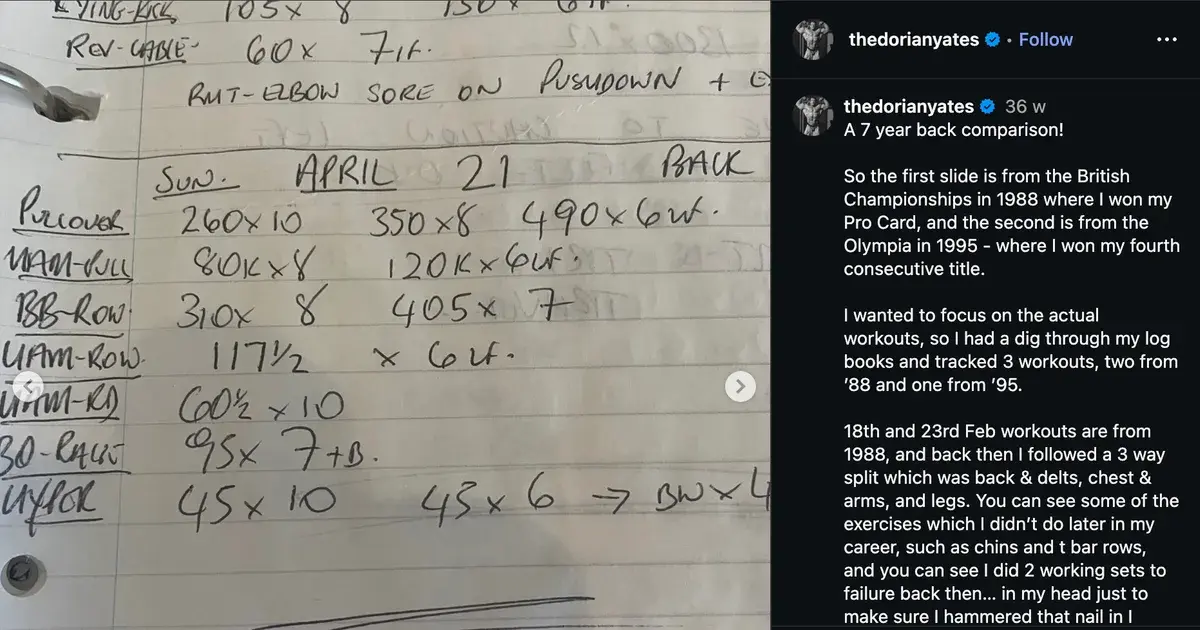
2026-08-06 Push

Bench press 80x8, 80x8, 80x7
Overhead press 45x10, 45x9, 45x8
Incline DB press 26x12, 26x11, 26x10
Cable fly 15x15, 15x14
Triceps pushdown 30x15, 30x13, 30x12

Notes: bench felt heavy, slept badly
That is it. Plain text, and nothing that needs formatting.
Write per-set numbers, not summaries. 80x8, 80x8, 80x7 tells you exactly what to beat next week. Bench 3x8 tells you almost nothing, because it hides which set fell apart. Our guide to workout shorthand explained covers the rest of the notation, including RIR and RPE tags.
Put the date first in the title. OneNote sorts pages by creation order and its search is a text search, so a YYYY-MM-DD prefix is what lets you type "2026-08" and pull up the month.
How do you set it up in ten minutes?
- Create a notebook or section called Workouts. One section per notebook is plenty. Sub-pages only get in the way later.
- Make one blank page per training day. Running push pull legs means three pages:
TEMPLATE Push,TEMPLATE Pull,TEMPLATE Legs, each holding exercise names and nothing else. - Save each as a custom template if you are on Windows. Insert, Page Templates, then "Save current page as a template" at the bottom of the pane. On Mac, iPhone or the web, skip this and keep the blank pages as pages you copy.
- Start a new page before every session. Copy the template page, then rename the copy with today's date in front.
- Fill in the numbers as you train. One line at a time, between sets, on your phone.
Step 4 is the one people skip, and skipping it quietly destroys the log. Editing the same page every week overwrites last week. Three months in you have one page and no history.
How do you track workouts in OneNote on your phone?
The phone app is where you will do the actual logging, and it is the weakest place to manage templates. Tapping the plus button in the OneNote phone app gives you a blank page rather than your saved template, so the phone workflow is copy-then-rename rather than new-from-template.
The practical fix: keep your template pages pinned at the top of the section by naming them TEMPLATE Push and so on, so they sort together and stay easy to find with one thumb.
Should you use a table instead?
OneNote handles tables well, better than most notes apps, and a grid genuinely looks tidier:
| Exercise | Set 1 | Set 2 | Set 3 |
|---|---|---|---|
| Bench press | 80x8 | 80x8 | 80x7 |
| Overhead press | 45x10 | 45x9 | 45x8 |
| Incline DB press | 26x12 | 26x11 | 26x10 |
A table is also slower to fill in, every single set, forever.
Tapping between cells on a phone with chalky hands takes noticeably longer than typing a line of text. Tables are harder to copy cleanly and they wrap badly on a narrow screen.
Use a table if you plan sessions at a desk. Use plain lines if you fill it in at the gym. If you want the grid anyway, here is one built for printing or for pasting into OneNote as a spreadsheet:
Free download
OneNote workout log template (CSV)
The grid above as a spreadsheet: one row per exercise, a warm-up column, four working sets, RPE and notes. Open it in Excel and insert it into a OneNote page, or print it.
- Date and session columns so every workout stays dated
- Warm-up column kept separate from your working sets
- One filled example session to copy the format from
- Prints cleanly on one page per session
Google Sheets: File → Import → Upload → Replace spreadsheet. Excel: just open the file. Formulas come through in both.
How does OneNote compare to other ways of tracking?
OneNote captures workouts well and analyses them not at all.
| Physical Notebook | OneNote | Traditional Gym App | Gym Note Plus | |
|---|---|---|---|---|
| Logging speed | Fast | Fast, slower app launch | Slow, lots of tapping | Fastest |
| Flexibility | Total | Total | Locked to their exercise list | Total |
| Searchability | None | Strong, including images | Good | Good |
| Data visualization | None | None | Charts | Charts |
| Spotting a personal record | Manual | Manual | Automatic | Automatic |
| Works offline in a basement gym | Yes | Yes, syncs later | Sometimes | Yes |
Search is the one row where OneNote beats most notes apps. OneNote notebooks stored on OneDrive get processed with optical character recognition, and Microsoft says that text inside any image added to such a notebook "will be searchable in OneNote on all PCs, phones and tablets". Photograph the program taped to the gym wall and you can find it again in March.
The row that eventually moves people is data visualization. Perfect notes still cannot tell you whether your squat trend is up, because text does not plot. Our comparison of the best notes app for workout tracking puts OneNote next to Apple Notes and Google Keep, and if you switch platforms, the Apple Notes workout template uses the same structure.
A simple starting plan
- Build the section and the template pages tonight. Ten minutes, before your next session.
- Title every page
YYYY-MM-DD Session. One habit, and six months of training becomes searchable. - Copy the template, never edit it. New page per session, always.
- Log per set, not per exercise. Write what each set actually did.
- Review every fourth Sunday. Search the month, open the last four sessions of one type, and decide what goes up.
When plain text stops being enough
Nothing above is wrong. Typing a line of text is faster than filling in a structured app, and a plain log you actually keep is worth more than a polished one you abandon in February.
The limit arrives around month six: hundreds of accurate lines you cannot plot, cannot rank, and cannot filter by exercise without reading every page.
Gym Note Plus is built for people who already log this way:
- Type sets the way you type them in OneNote, with no dropdowns and no forms
- Weights and reps are read automatically into per-exercise charts
- Session notes stay attached to the workout instead of scrolling away
- Personal records are flagged as you hit them
- Existing notes import, so your history comes with you
To see what your current pages would look like as tracked data, paste one session into the free notes to workout translator. It takes ten seconds and needs no account. If you want to know what a heavy set is worth in one-rep-max terms, the one rep max calculator does that too.
The best workout template is the one you can fill in with one thumb between sets. Structure it enough to search, then stop.
Frequently Asked Questions
Does OneNote have a built-in workout template?
OneNote includes no fitness or workout template. Microsoft ships built-in page templates covering decorative backgrounds, planners and To Do lists, all reachable through Insert then Page Templates on the desktop app. For training, you build your own page containing the exercise names and copy it before each session.
How do you create a custom template in OneNote?
On the OneNote desktop app for Windows, open the page you want to reuse, go to Insert, choose Page Templates, then select "Save current page as a template" at the bottom of the pane. Microsoft's documentation states that creating and customising page templates is not possible in OneNote for the web, so a Windows PC is required.
Can you apply a OneNote template to an existing page?
No. Microsoft's support documentation states that OneNote templates can be applied only to new pages that do not already contain any notes. To use a template on work you have already written, create a new page from the template first, then copy your existing content across into it.
Is OneNote good for tracking gym progress?
OneNote captures workouts quickly, works offline and searches better than most notes apps, including text inside photographs. It cannot chart a lift over time, calculate weekly volume or flag a personal record. Lifters usually outgrow OneNote once they want to see whether a specific exercise has trended upward across several months.
Should a OneNote workout log use tables or plain text?
Plain text lines win for logging done at the gym: they are faster to type one-handed, easier to copy between pages and readable on a narrow phone screen. Tables suit planning sessions at a desk, where the tidier layout costs nothing. Most people fill their log in between sets, so plain lines are the safer default.
How do you find an old workout in OneNote?
Use the OneNote search box and type an exercise name or a date prefix such as 2026-08. OneNote searches page titles, typed text, handwriting and text inside images in notebooks stored on OneDrive. Consistent date-first page titles are what make the date search reliable, which is why the title format matters more than any other formatting choice.
Final Takeaways
- OneNote has no workout template. Building your own template takes ten minutes, which is less time than choosing between the paid planner bundles.
- Custom templates are Windows-only. On Mac, iPhone or the web, copy a blank page instead. Same result, different name.
- Templates never apply to existing pages. Start fresh every session, which is what you should be doing anyway.
- Date-first page titles are the highest-value habit.
2026-08-06 Pushmakes months of training searchable. - OneNote searches better than it analyses. OneNote's OCR will find any note you wrote, but nothing in OneNote will plot the numbers inside that note.

Josh Ibbotson
Josh is the creator of Gym Note Plus, building tools that make workout tracking as simple as taking notes.
Ready to try it out?
Download Gym Note Plus and start tracking your workouts the way you want.
Download on App Store