

Google Sheets Workout Tracker Template
Quick answer: A Google Sheets workout tracker needs one row per set and eight columns: Date, Exercise, Weight, Reps, Sets, RPE, Estimated 1RM, and Notes. Add an Epley formula in the 1RM column, a SPARKLINE for trend, and conditional formatting to flag PRs. Build it once and reuse it forever.
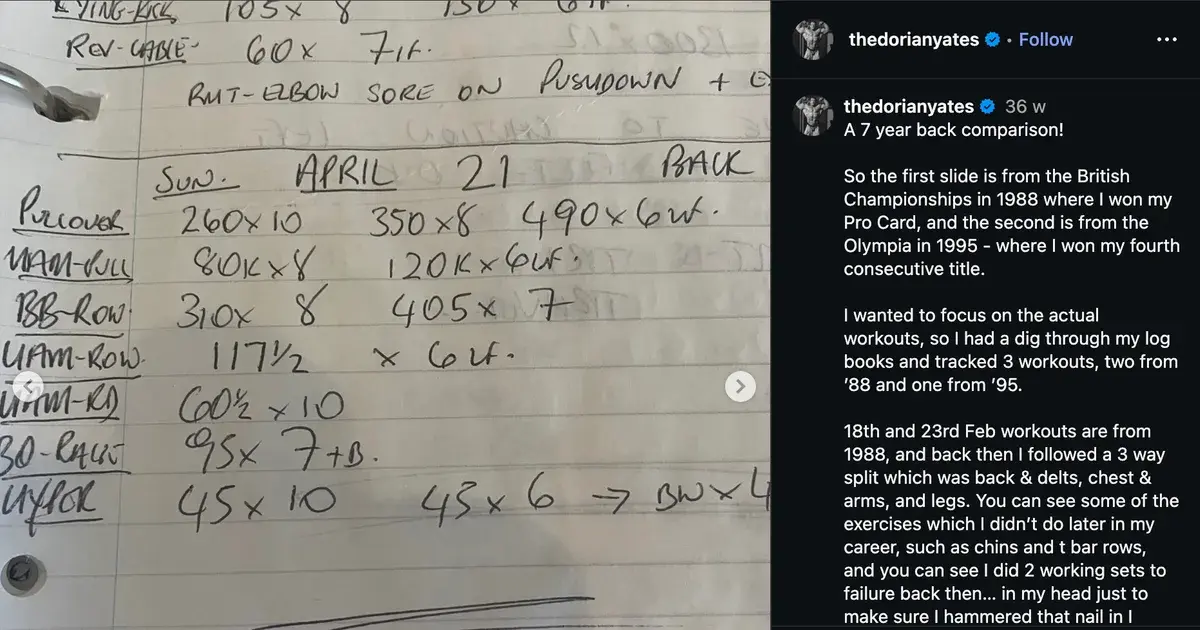
Most people who track in a spreadsheet started the same way. A notebook got soggy, or a notes app filled with lines nobody could read six months later, and a blank Google Sheet looked like the grown-up answer.
Then the sheet got 40 columns wide, editing it on a phone between sets turned into a pinch-and-zoom fight, and it quietly died in week three.
The fix is a smaller sheet with better formulas.
What should a Google Sheets workout tracker actually contain?
One row per set, and nothing you will not fill in.
The single biggest mistake is designing a grid where each exercise gets a block of merged cells. It looks tidy and it breaks every formula you will later want to write. Flat rows are ugly and they work.
Here is the layout to copy into row 1:
| Col | Header | Example | Why it earns its place |
|---|---|---|---|
| A | Date | 2026-08-04 | Lets you sort and filter by block |
| B | Exercise | Bench Press | Must be spelled identically every time |
| C | Weight | 80 | Number only, keep units out of the cell |
| D | Reps | 8 | Reps for that set, not the target range |
| E | Sets | 1 | Use 1 per row, or group identical sets |
| F | RPE | 8 | Optional, but it explains bad weeks later |
| G | Est. 1RM | formula | Fills itself in |
| H | Notes | left elbow ached | The column you will thank yourself for |
Keep units out of the number columns. Typing 80kg in column C turns it into text and every calculation downstream returns an error. Put the unit in the header instead: Weight (kg).
Spell exercise names consistently. Bench, Bench Press, and BP are three different exercises as far as a spreadsheet is concerned. Pick one and use Data validation on column B to enforce it.
Which formulas make the sheet worth building?
Three formulas do almost all of the work. You can add more later, but these are the ones that change how you train.
Estimated one-rep max (Epley). Put this in G2 and drag it down:
=IF(C2="","",C2*(1+D2/30))
That takes the weight in C2 and the reps in D2 and estimates the load you could handle for a single rep. The IF wrapper stops the column filling with zeros on empty rows. If you want to sanity check the number against other formulas, the free one rep max calculator runs the same set through Epley, Brzycki, and Lombardi side by side.
Total volume per set, if you care about weekly workload:
=C2*D2*E2
A sparkline for one lift. Drop this in any empty cell to see a whole training block as a tiny line chart:
=SPARKLINE(FILTER($G$2:$G, $B$2:$B="Bench Press"))
FILTER pulls every estimated 1RM belonging to bench press, and SPARKLINE draws it inside the cell. Change the exercise name in quotes and you have a second one. Ten of these stacked in a column is a dashboard that takes two minutes to build.
How do you flag a personal record automatically?
Add a PR column with MAXIFS, then colour it.
Put this in column I:
=IF(G2="","",IF(G2>=MAXIFS($G$2:G2,$B$2:B2,B2),"PR",""))
The trick is the mixed reference. $G$2:G2 grows as you drag the formula down, so each row only compares itself against the rows above it. MAXIFS restricts that comparison to the same exercise, so a heavy squat never gets measured against your bench.
Then select column I, open Format, Conditional formatting, choose "Text is exactly" with the value PR, and pick a green fill. Now every record lights up as you type it.
A word of warning on estimated 1RM as a PR trigger. A set of 20 easy reps can produce a bigger Epley number than a hard triple, so the formula will occasionally celebrate something that was not really a record. Adding the RPE column and glancing at it keeps you honest.
Should you use one long sheet or a tab per mesocycle?
One long sheet, with tabs only when the sheet gets slow.
This is where most spreadsheet trackers go wrong. Splitting every training block into its own tab feels organised, and it destroys the one advantage a spreadsheet has: every formula that compares this week to twelve weeks ago now has to reach across tabs.
Keep everything on a sheet called Log. Then:
- Filter by date range when you want to look at one block
- Add a
Blockcolumn (Hypertrophy 1,Peak,Deload) if you want labels - Use a second tab called
Dashboardfor your sparklines and pivot tables, pointing back atLog
Google Sheets handles tens of thousands of rows without complaint. If you log 25 sets a session, four sessions a week, you will reach 5,000 rows in about a year. That is nothing. The one honest reason to split by mesocycle is sharing the sheet with a coach who should only see the current block.
Where does a Google Sheets workout tracker fall down?
The sheet is excellent at home and mediocre in the gym. That is worth saying plainly before you spend an evening building one.
Phone editing is slow. You tap a cell, a keyboard covers half the screen, and you tap the next one. Between sets, with a rest timer running, it is noticeably worse than typing a line of text.
Charts need setting up by hand. Every new exercise means a new chart range or a new sparkline. Nothing appears on its own.
There are no alerts. The sheet will never tell you that your overhead press has not moved in seven weeks. You only find out if you go looking.
Formulas break when you get creative. One 80kg typed into a weight cell, one merged row, and half the dashboard shows #REF!.
| Physical Notebook | Notes App | Traditional Gym App | Gym Note Plus | |
|---|---|---|---|---|
| Logging speed | Fast | Fastest | Slow, lots of tapping | Fastest |
| Data visualization | None | None | Charts | Charts |
| Flexibility | Total | Total | Locked to their exercise list | Total |
| Searchability | None | Text search only | Good | Good |
| Works offline | Always | Always | Usually | Yes |
| Setup time | Zero | Zero | Account and setup | Minutes |
A Google Sheet sits between the Notes App and Traditional Gym App columns: slower to fill in than plain text, better at maths, worse at doing anything without you.
If a spreadsheet still feels like the right tool, our deeper guide to building a workout tracker spreadsheet covers pivot tables and weekly volume by muscle group, and the Apple Numbers workout template walks through the same ideas for anyone living inside the Apple ecosystem.
A simple starting plan
- Open a blank sheet and add the eight headers. Date, Exercise, Weight (kg), Reps, Sets, RPE, Est. 1RM, Notes. Freeze row 1 from the View menu.
- Paste the Epley formula into G2 and drag it down 500 rows so future sessions fill themselves in.
- Add Data validation on column B with a list of the 15 or so exercises you actually do. Consistent names are what make every later formula work.
- Log three sessions before adding anything else. Resist building a dashboard on day one. You will discover which columns you skip.
- Then add sparklines for your four main lifts on a second tab, and the PR column with conditional formatting.
If you would rather not build it at all, a printable workout log gets you the same structure on paper this afternoon.
If the spreadsheet keeps dying in week three
Building the sheet is fun. Filling it in on a phone, standing up, between sets, is not. Plenty of lifters end up doing what they were doing before: typing a line of text and promising to move it into the sheet later. Later never arrives.
Gym Note Plus is built around that reality. You type the same shorthand you would scribble anywhere else, and the parsing happens for you:
- Type
Bench 80x8, 80x8, 80x7as one line of text instead of tapping through cells - Estimated 1RM, volume, and per-exercise charts are calculated automatically
- Personal records get flagged as you log them, without a MAXIFS formula
- Exercise aliasing means
BPandBench Presscount as the same lift - Old logs paste straight in, so a year of history is not wasted
Want to see it before installing anything? Paste a few lines from your sheet or your notes app into the free notes to workout translator and watch it become structured sets and charts.
A spreadsheet is the best place to think about your training and one of the worst places to record it.
Frequently Asked Questions
How do you make a workout tracker in Google Sheets?
Create a blank sheet with eight columns: Date, Exercise, Weight, Reps, Sets, RPE, Estimated 1RM, and Notes. Log one set per row rather than using merged blocks. Add the Epley formula =C2*(1+D2/30) to the 1RM column, freeze the header row, and use Data validation on the exercise column to keep names consistent.
Is there a free Google Sheets gym log template?
Plenty of free templates circulate, though most are built as weekly grids with merged cells that break formulas the moment you try to chart anything. Building a flat eight-column log yourself takes about ten minutes and gives you a structure that supports sparklines, pivot tables, and automatic PR detection without fighting somebody else's layout.
What formula calculates one-rep max in Google Sheets?
The Epley formula is =C2*(1+D2/30), where C2 holds the weight lifted and D2 holds the reps completed. Brzycki is the common alternative: =C2*36/(37-D2). Both are estimates and get less accurate above roughly ten reps, so treat them as trend lines rather than true maxes.
Should each workout get its own tab in Google Sheets?
No. Keeping every session on a single sheet called Log lets formulas compare this week against any previous week without cross-tab references. Add a Block column if you want to label mesocycles, and use filters or a separate Dashboard tab for views. Google Sheets handles tens of thousands of rows comfortably.
Can you use a Google Sheets workout tracker on your phone?
Yes, through the Google Sheets mobile app, but editing a grid between sets is slower than typing plain text. Cells are small, the keyboard covers the screen, and horizontal scrolling is constant. Many lifters log in a notes app during the session and transfer numbers into the spreadsheet afterwards, which usually stops happening within a month.
Final Takeaways
- Flat rows beat pretty grids. One row per set keeps every formula you write later from breaking.
- Three formulas do the work. Epley for estimated 1RM, a volume multiplication, and a SPARKLINE per lift.
- MAXIFS plus conditional formatting gives you automatic PRs. No manual highlighting required.
- One sheet, not one tab per block. Splitting the log destroys the comparisons that made you build it.
- Be honest about phone editing. If the sheet only gets filled in on Sundays, the problem is the input method, not your discipline.

Josh Ibbotson
Josh is the creator of Gym Note Plus, building tools that make workout tracking as simple as taking notes.
Ready to try it out?
Download Gym Note Plus and start tracking your workouts the way you want.
Download on App Store