

Obsidian Workout Tracker: A Markdown Gym Log With Dataview
Quick answer: You can track workouts in Obsidian by writing each session as a dated markdown note with frontmatter, then querying those notes with the Dataview plugin to build progress tables. It keeps your training in plain text you own, but Obsidian has no mobile-friendly logging flow and no automatic personal record detection.
You already keep everything else in Obsidian. Meeting notes, reading notes, that graph view you show people who did not ask.
So the thought arrives somewhere around your third set: why is my training log the one thing living in a separate app?
Can you actually track workouts in Obsidian?
Yes, and the plain text part works genuinely well. A workout is a small amount of structured data, which is exactly what markdown with frontmatter is for.
The question is not whether you can. It is whether the setup survives contact with an actual gym floor, where you are typing on a phone with 45 seconds of rest left and a bar to get back under.
That is the part most Obsidian workout setups fail, and it is worth knowing before you spend a Sunday building one.
How do you set up a workout log in Obsidian?
The standard approach is one note per session, stored in a folder, with metadata in frontmatter and the actual sets in the body.
One note per workout
Create a folder like Fitness/Workouts and a note per session named by date, for example 2026-08-01 Upper Power.
---
date: 2026-08-01
type: upper-power
bodyweight: 82
---

## Bench Press
100 x 5
100 x 5
100 x 4

## Bent Over Row
80 x 6
80 x 6
80 x 5
That is a complete, readable, portable record. It will still open in fifty years.
Add inline fields for querying
Dataview reads key:: value pairs anywhere in a note. If you want to query specific lifts, put the numbers in fields rather than free text.
bench-top-set:: 100
bench-top-reps:: 5
This is where the trade starts to show. The version that queries nicely is more work to write than the version that reads nicely.
Query it with Dataview
Dataview is the plugin that turns a folder of notes into something you can ask questions of, and it is one of the most widely used plugins in the ecosystem with over 4.6 million downloads. A basic progress table looks like this:
```dataview
TABLE bench-top-set AS "Weight", bench-top-reps AS "Reps"
FROM "Fitness/Workouts"
WHERE bench-top-set
SORT date DESC
```
Run that and you get a table of every bench session in reverse order. That is genuinely useful, and it is the moment the setup starts feeling worth it.
Or use a dedicated plugin
Several community plugins handle the structure for you. Gym Workout Tracker by piero24 offers a calendar view, reusable templates, and previous-session autofill, storing everything in a single JSON file rather than scattering notes through your vault. Others take the opposite approach and write one markdown note per session so the data stays queryable.
Both patterns work. Neither solves the problem below.
What does Obsidian get right for training logs?
You own the files. Your training history is a folder of markdown on your own disk. No account, no export button, no company deciding to sunset the product.
It sits with everything else. Your programme notes, your nutrition, your physio exercises, and your log all live in one vault and can link to each other.
Dataview is genuinely powerful. Once fields are in place, you can build volume charts, filter by exercise, and pull last week's numbers into today's note automatically.
No exercise database to fight. Invented a machine name? Doing something your gym calls the "shoulder thing"? Write it. Nothing validates you.
That last point is the same reason people log in Apple Notes, and it is not a small thing.
Where does an Obsidian workout tracker fall down?
Mobile logging is slow. This is the big one. Obsidian mobile opens fine, but typing into a markdown note with frontmatter and inline fields, between sets, with sweaty hands, is meaningfully worse than typing a line into a notes app. Dataview queries also re-render on mobile, which does not help.
Nothing detects personal records. Dataview shows you what you did. It does not tell you that today's set beat the one from six weeks ago unless you write the query that compares them, and comparison queries are where Dataview gets fiddly.
The setup cost is real. Templates, folder structure, field naming conventions, and query syntax add up to an afternoon of work before your first logged set. Plenty of people build the system and then never log in it.
Charts need another plugin. Tables come from Dataview. Actual graphs need something like the Charts plugin wired into the query output, which is another layer to maintain.
Field discipline is required forever. Write bench-top-set one week and bench_top_set the next and the query silently stops seeing half your history.
That last risk is worth sitting with. The whole appeal of plain text is that it is forgiving, and the whole requirement of Dataview is that you are not.
Is Obsidian better than a notes app or a gym app?
It depends on which failure you would rather have.
| Physical Notebook | Notes App | Obsidian + Dataview | Traditional Gym App | Gym Note Plus | |
|---|---|---|---|---|---|
| Logging speed | Fast | Fastest | Slow on mobile | Slow, lots of tapping | Fastest |
| Data visualization | None | None | Tables, charts with setup | Charts | Charts |
| Automatic PR detection | No | No | No | Yes | Yes |
| Flexibility | Total | Total | Total | Locked to their exercise list | Total |
| Searchability | None | Text search only | Excellent | Good | Good |
| You own the files | Yes | Depends | Yes | No | Export available |
| Setup time | None | None | An afternoon | Minutes | Minutes |
Obsidian sits in an interesting spot: the best searchability and ownership of anything on that list, and the worst mobile logging experience.
If you are the kind of person who enjoys building the system, that trade is fine. If you want to be lifting rather than debugging a query, it is not.
When does Obsidian actually make sense for lifting?
When your programme lives there already. If you plan blocks, track physio, and write session notes in Obsidian, keeping the log there removes a context switch.
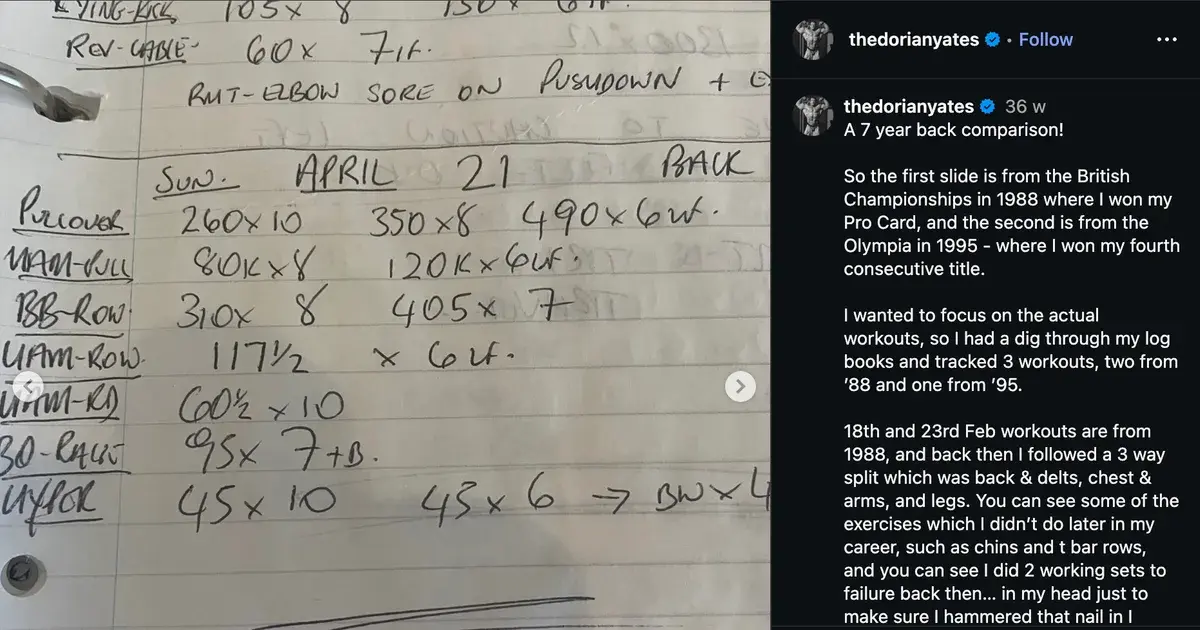
When you log after the session, not during it. Typing sets into Obsidian from your phone mid-workout is painful. Scribbling on paper and transcribing at home is not, and plenty of people run it this way.
When you want queries nobody sells. Total volume per muscle group per month, sessions where bodyweight was under 80kg, whatever you want. Dataview will do it. No app will.
When you genuinely enjoy the tinkering. This is a legitimate reason and nobody should pretend otherwise.
A simple starting plan
- Make one folder and one note template.
Fitness/Workouts, with frontmatter for date and session type. Do not build anything else yet. - Log five sessions as plain text before adding a single field. Just exercise names and
weight x repslines. Find out whether you actually log before you optimise how you log. - Add Dataview and write one query. Just one, for your main lift. If that query earns its keep over a month, add more.
- Fix your field naming convention in writing. Put it at the top of your template so future you does not invent a second one.
- Decide where you log, honestly. If mid-session Obsidian typing is not happening, switch to logging on paper or in notes and transcribing later. A system you abandon is worse than a scrappy one you keep.
If you want plain text without the setup
The appeal of Obsidian for training logs is really one idea: your workout is text, you should be able to write it as text, and you should own it.
That idea is right. The friction is everything you have to build around it before the text becomes useful.
Gym Note Plus takes the same premise and skips the assembly:
- Type
Bench 100x5in plain language, with no fields, no frontmatter, and no exercise dropdowns - Sets, reps, and weights are parsed automatically into charts per exercise, with no queries to write
- Personal records are detected as you hit them, which Dataview will not do for you
- It is built for typing between sets on a phone, which is where Obsidian struggles most
- Your existing notes import, so you keep the history you already have
It will not replace your vault, and it is not trying to. If you keep everything else in Obsidian, you can still export and paste your log back into it.
The quickest way to see the difference is to paste a session into the free notes to workout translator and watch a few lines of text become a structured workout. If you want to check where a heavy set puts your estimated max, the one rep max calculator is free too.
Obsidian gives you total control over a training log and asks you to build every convenience yourself. Whether that is a feature depends entirely on how much of your Sunday you want to spend on it.
Frequently Asked Questions
Can you track workouts in Obsidian?
Yes. The common approach is one markdown note per session with the date and session type in frontmatter and sets written in the note body, stored in a dedicated folder. The Dataview plugin then queries those notes to build progress tables. Community plugins such as Gym Workout Tracker automate the structure if you prefer not to build it yourself.
What is the best Obsidian plugin for workout tracking?
Dataview is the most important plugin because it turns a folder of workout notes into queryable tables, and it has over 4.6 million downloads. For a ready-made system, Gym Workout Tracker by piero24 adds a calendar view, workout templates, and previous-session autofill. Neither plugin detects personal records automatically.
Is Obsidian good for logging workouts at the gym?
Obsidian is better for reviewing training than for logging it live. Typing into a markdown note with frontmatter and inline fields on a phone between sets is slower than writing a line in a notes app. Many people who use Obsidian for training log on paper or in notes during the session and transcribe afterwards.
How do you track progressive overload in Obsidian?
Record each set as an inline Dataview field, such as bench-top-set:: 100, then write a Dataview query that lists those values sorted by date. This produces a table showing how the load has changed. Obsidian will not flag improvements automatically, so you compare rows yourself or write a more complex query to do it.
Should you use Obsidian or a workout app?
Use Obsidian if your training plan already lives in your vault, you want full ownership of the files, and you enjoy building custom queries. Use a workout app if you want fast logging between sets and automatic progress tracking without setup. The main trade is Obsidian's flexibility and searchability against its slower mobile logging.
Final Takeaways
- Obsidian tracks workouts well and logs them badly. One markdown note per session plus Dataview gives excellent review, and mobile entry is the weak point.
- Dataview is the core plugin. Without it you have a folder of notes; with it you have a queryable training database.
- Nothing detects personal records for you. Dataview shows what you did, not whether it beat last time.
- Log five plain sessions before building anything. Most abandoned Obsidian trackers were built before the habit existed.
- Pick your failure mode deliberately. Total ownership and slow logging, or fast logging and less control. Both are defensible, and neither is free.

Josh Ibbotson
Josh is the creator of Gym Note Plus, building tools that make workout tracking as simple as taking notes.
Ready to try it out?
Download Gym Note Plus and start tracking your workouts the way you want.
Download on App Store