
Google Keep Workout Template: Track Your Lifts on Android
Quick answer: A Google Keep workout template is a pinned note holding your session layout (exercise names, target sets and reps) that you copy each workout and fill in with real numbers. Keep's checkboxes, pinning, labels and offline sync make it a genuinely usable gym log on Android, with search as its main weakness.
Every workout app wants your email address, a subscription, and thirty seconds of tapping through an exercise database before you can write down a single number.
Google Keep is already on your phone, opens instantly, and does not care what you type into it. For a lot of lifters, that is the whole argument.
Why does Google Keep work as a workout log?
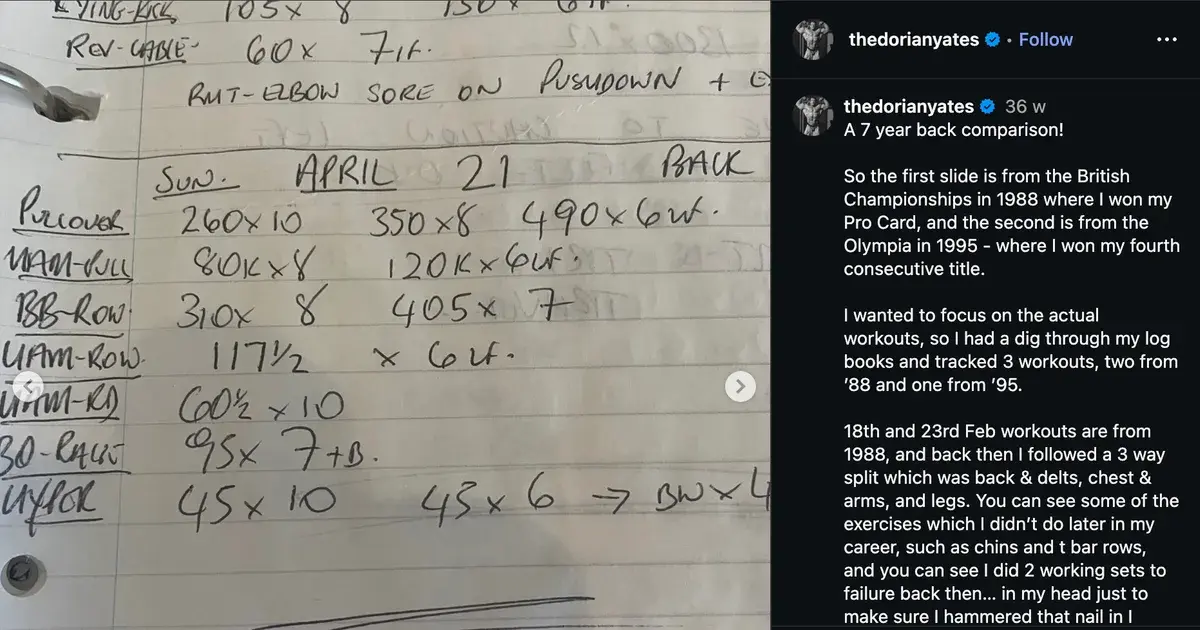
Because logging is a typing problem, not a database problem. The bar is loaded, your rest timer is running, and you need to record Bench 80x8,8,6. Keep does that in about four seconds.
The features that matter for the gym are the ones Keep happens to have:
- It opens fast. There is no splash screen and no sync spinner standing between you and the keyboard.
- It works offline. Basement gyms with no signal do not break it, and it syncs when you surface.
- Pinning puts today's session at the top, so you never have to go looking for it.
- Checkboxes track completed exercises without you deleting anything.
- Labels group notes so
Push,PullandLegsstay separate. - The widget writes straight to a note from your home screen.
Its weakness is search. Keep searches note text, so you can find "bench press" easily enough, but it cannot tell you what your bench was six weeks ago without you reading through notes to find out. More on that below.
What should a Google Keep workout template contain?
Exercise names, target sets and reps, and blank space for the real numbers. That is it. Templates fail when people build spreadsheets in them.
Here is a push day template you can paste straight into Keep:
PUSH DAY - [date]

Bench press 4x6-8
Overhead press 3x8-10
Incline DB press 3x10-12
Lateral raise 3x12-15
Triceps pushdown 3x10-12

Notes:
After a session it looks like this:
PUSH DAY - 29 Jul

Bench press 80x8,8,7,6
Overhead press 45x10,9,8
Incline DB press 24x12,11,10
Lateral raise 10x15,15,13
Triceps pushdown 30x12,12,10

Notes: right shoulder tight on OHP, dropped to 45
The format that matters is weight x reps, reps, reps. Weight first, then the reps you actually got on each set, separated by commas. It reads cleanly, it takes seconds, and it survives being read back months later. Our guide to workout shorthand covers the extra symbols like RPE and AMRAP if you want them.
How do you set the template up in Google Keep?
Three notes, pinned, one per session type. The whole setup takes about five minutes.
- Create one note per session. For a push pull legs split that is three notes:
TEMPLATE - Push,TEMPLATE - Pull,TEMPLATE - Legs. For an upper/lower split, two. - Pin all of them. Pinned notes sit at the top of Keep, so they are one tap away when you walk in.
- Add a label. Create a
Gymlabel and apply it to every workout note. Keep's sidebar then filters to just your training. - Copy, do not overwrite. Open the template, tap the three dots, choose "Make a copy," and rename it with today's date. Your blank template stays clean forever.
- Colour-code if you like. Keep lets you set a note colour, so push, pull and legs can be visually distinct in the grid.
The copy step is the one people skip and regret. Typing over your template destroys it, and rebuilding it every few weeks is how the habit dies.
Is Google Keep better than a workout app?
It is faster and worse, and which of those wins depends on you. Here is how it compares across the options an Android lifter actually has:
| Physical Notebook | Google Keep (Notes App) | Traditional Gym App | Gym Note Plus | |
|---|---|---|---|---|
| Logging speed | Fast | Fast | Slow (menus and dropdowns) | Fast (plain text) |
| Data visualization | None | None | Charts | Charts from your own notes |
| Flexibility | Total | Total | Low, fixed exercise list | Total |
| Searchability | Poor | Decent (text search only) | Good | Good |
| Works offline | Always | Yes | Varies | Yes |
| Cost | A few pounds | Free | Usually subscription | Free to try |
Keep wins on speed and loses on memory. It stores everything and understands nothing, so questions like "is my bench going up?" require you to be the database engine.
That trade is fine for a while. It gets expensive around month three, when you have sixty notes and no idea whether anything is trending.
Does writing workouts down actually help?
Yes, and the effect is not really about the gym. Keeping a record of a behaviour is one of the better-supported techniques in behaviour change research.
A systematic review and meta-analysis in the International Journal of Behavioral Nutrition and Physical Activity examined interventions using self-monitoring, defined as keeping a record of a specified behaviour as a method for changing it, and found meaningful effects on sedentary behaviour when objective tools were used.
The gym-specific version is simpler. You cannot apply progressive overload to a weight you cannot remember. The record exists to feed next week's decision, which is a more practical job than motivation.
Our fuller take on the habit is in do workout journals work.
What are Google Keep's limits as a workout log?
It cannot answer questions about your own data. This is the ceiling, and no amount of template design gets past it.
Things Keep will not tell you:
- Whether your squat is trending up over the last three months.
- What weight you used last leg day, without you finding and reading that note.
- Your total weekly volume per muscle, which is what actually drives growth.
- Your estimated one-rep max, though you can work that out yourself by dropping a set into the free one rep max calculator.
The workaround most people invent is a summary note, updated monthly with current working weights. It helps, and it is also a chore you will eventually stop doing.
A simple starting plan
- Create one Keep note per session type in your split, with exercise names and target rep ranges only.
- Pin them and add a
Gymlabel so they are always one tap away. - Copy the template before every workout and rename it with the date.
- Log in
weight x reps,reps,repsformat. Consistency of format matters more than which format you choose. - Review monthly. Open the last four notes for one exercise side by side. If the numbers have not moved, when to increase weight lifting covers what to change.
Where does Gym Note Plus fit in?
Nothing about your Keep habit is wrong. Plain text is the fastest possible way to log a set, and every gym app that replaced it with dropdowns made the experience worse. If Keep is working, keep going.
The gap is the reading, not the writing. Sixty notes hold your entire training history and give none of it back.
Gym Note Plus is built on the same premise as your Keep note, with the reading half attached:
- Type
Bench 80 4x8exactly as you would in Keep and it logs four sets of eight at 80kg. - It understands your existing format, including
80x8,8,7,6and rep ranges. - Charts and per-exercise history build themselves from the text, so trends stop being invisible.
- Last session's weight appears when you start, which removes the question Keep can never answer.
Want to see it work on your own data first? Paste one of your Keep notes into the free notes to workout translator and watch it turn into sets, reps, and charts.
Google Keep is a very good place to write your workouts down and a poor place to read them back. The typing habit is right. The missing half is everything that happens afterwards.
Frequently Asked Questions
Can you use Google Keep as a workout log?
Yes. Google Keep works well as a workout log because it opens instantly, works offline, and lets you type sets in any format you like. Create one pinned note per session type as a template, copy it before each workout, and record weight and reps as plain text. Its limitation is that it cannot analyse or chart your history.
How do I make a workout template in Google Keep?
Create a note titled after the session, list your exercises with target sets and reps, then pin it. Before each workout, open the note, tap the three-dot menu and select "Make a copy," then rename the copy with today's date and fill in your real numbers. Copying preserves the blank template for next time.
Is Google Keep better than a workout tracking app?
Google Keep is faster to write in and far more flexible, since you can type anything in any format. Dedicated workout apps are better at reading your data back, offering charts, personal records and automatic history. Keep suits lifters who value logging speed; apps suit lifters who want progress analysis without doing it manually.
Does Google Keep work offline in the gym?
Yes. Google Keep stores notes locally on Android and iOS, so you can create and edit workout notes with no signal, which matters in basement gyms. Changes sync automatically to your Google account once your phone reconnects. Offline access is one of the main practical advantages Keep has over web-based tracking tools.
What is the best format for logging sets in a notes app?
Use exercise weight x reps,reps,reps, for example Bench 80x8,8,6. Weight first, then the actual reps completed on each set separated by commas. This format is quick to type on a phone, unambiguous when read months later, and is the notation most workout-parsing tools recognise automatically.
Can Google Keep track progressive overload?
Not automatically. Google Keep stores your numbers but does not compare them across sessions, so tracking progressive overload means opening past notes and reading them yourself. Many lifters maintain a separate summary note of current working weights as a workaround, or move to a tool that parses the same plain text and charts it.
Final Takeaways
- Keep is a legitimate gym log. Instant to open, works offline, and imposes no format on you.
- Build three template notes, pin them, and copy before each session. Never type over the original.
- Use one consistent format, ideally
Bench 80x8,8,6, so old notes stay readable. - Writing it down is the point. Self-monitoring is a well-supported behaviour change technique, and progressive overload needs a record rather than a memory.
- Keep's ceiling is reading, not writing. When you want trends instead of transcripts, tools like Gym Note Plus read the same plain text you already type.

Josh Ibbotson
Josh is the creator of Gym Note Plus, building tools that make workout tracking as simple as taking notes.
Ready to try it out?
Download Gym Note Plus and start tracking your workouts the way you want.
Download on App Store